

Stop fighting with boring formulas like VLOOKUP and IMPORTRANGE! Now you have a free AI data-merging co-pilot that will get your work done in minutes. If you work with spreadsheets, combining sales data, merging reports, or bringing together marketing stats, you know how frustrating it can be. Errors, broken formulas, and the stress of manual copying and pasting—all waste time.
But the scene has changed! AI has changed the game for spreadsheets. Today we’re going to talk about the 10 best AI spreadsheet tools for combining numbers on spreadsheets free that will save you from manual merging and make data handling super easy.
Manual Merging Pain
You’re not alone—every data user faces this struggle.
1. VLOOKUP/IMPORTRANGE Hell
Imagine merging 12 different monthly reports into one master sheet. You get tired of writing formulas, and when the file ID changes—everything breaks down. Seeing error messages is mind-boggling.
2. The “Copy-Paste-Pray”
Method Formulas fail, so we copy and paste them and hope there’s no duplicate data. This method is time-consuming and increases the chance of errors.
3. Waste of Time
Hours every week are spent formulating and merging—time you could have used for analysis, strategy, or a quick lunch break!
The AI Revolution – Now Spreadsheets Will Understand You
Imagine if you could say: “Combine the ‘Sales’ and ‘Product Category’ columns from all files and return the total for each category.” And AI does it in just one click! This is the AI Spreadsheet Revolution.
AI tools convert your plain English instructions into powerful spreadsheet logic. They automate repetitive tasks and catch errors during merging. You no longer need to be an expert coder—these tools become your “data architect.”
Top 10 Best AI Spreadsheet Tools for Combining Numbers on Spreadsheets Free
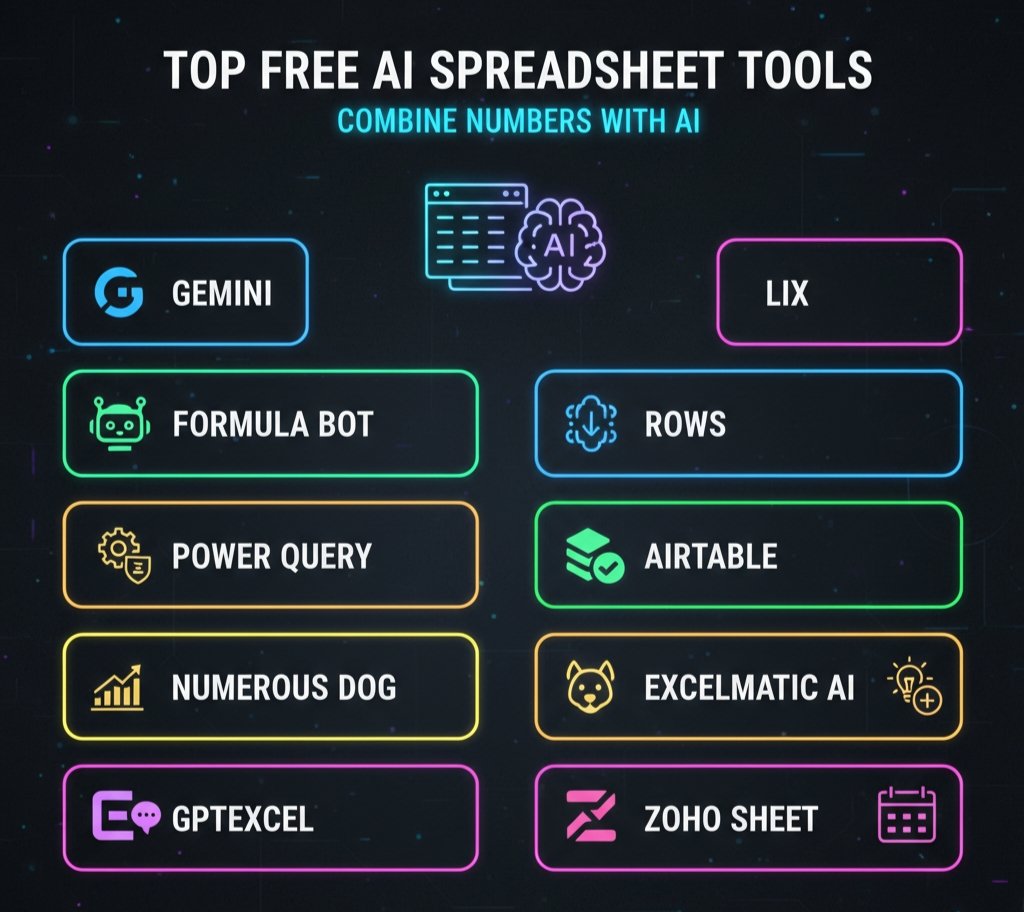
Now let’s get to the real magic tools, the ones that will revolutionize your data merging process.
1. Gemini in Google Sheets
Best For: Complex Merging in Google Sheets Why it’s a Game-Changer: Gemini AI understands your natural language commands. You simply type, “merge data from Sheet1 and Sheet2 by ID”—and it will automatically create the formula (QUERY, IMPORTRANGE, etc.) Free Feature: Available for Google Workspace users, with robust formula generation.
2. Formula Bot
Best For: Creating formulas for both Excel and Google Sheets. Why it’s a Game-Changer: This cross-platform AI specializes in writing complex merge formulas. Just give your instructions and you’ll get the perfect syntax. Free Feature: Limited free formula generations are available each day.
3. Power Query (Excel Get & Transform)
Best For: Enterprise-Level Merging. Why It’s a Game-Changer: This built-in feature in Excel lets you connect, clean, and merge data from different files and databases—without writing a formula! Free Feature: Included free in the Microsoft Excel desktop version.
| Myth | Reality |
|---|---|
| AI will replace spreadsheet experts completely | AI automates repetitive merging and formula-writing — experts still guide decisions and validate results. |
| Combining numbers always needs complex formulas | Many tools (Gemini, Power Query, Rows) use natural language or visual ETL to combine data without typing nested formulas. |
| Free AI tools can’t handle real work | Several free tiers are powerful enough for freelancers and SMBs — and great for prototyping workflows before upgrading. |
| AI always introduces new data errors | AI helps catch inconsistencies and normalize values before merging — reducing human error when used correctly. |
| Only Excel can do advanced merges | Google Sheets (with Gemini), Rows, Airtable and others now have robust merging and ETL features — cross-platform options abound. |
| AI tools need heavy training to be useful | Most modern tools work with simple prompts or visual steps; only complex pipelines require deeper setup. |
4. Numerous.ai
Best For: Data Cleaning and Tagging Before Merging. Why It’s a Game-Changer: You can clean and categorize messy data with the =AI() formula. For example, normalizing product names or categorizing transactions—so that the merge is accurate. Free Feature: Basic AI functions available in the free tier.
5. GPTExcel
Best For: Quick Formula and Script Generation. Why it’s a Game-Changer: All you need to do is say what you need in English—and this tool will write the perfect formula for XLOOKUP, SUMIFS, or multi-sheet merges. Free Feature: Limited free requests, ideal for quick problem-solving.
6. Rows
Best For: Live Data Merging and Automation Why it’s a Game-Changer: Rows is a modern spreadsheet platform that lets you connect multiple sources and easily join data. Using AI, you can both clean and merge data. Free Feature: Free plan available for individual users.
💡Did You Know?
AI spreadsheets can save up to 70% of your time by merging data automatically! With the best AI spreadsheet tool for combining numbers on spreadsheets free, you can join multiple sheets, clean data, and fix errors — all in seconds.
7. Airtable
Best For: Spreadsheet + Database Experience. Why it’s a Game-Changer: Airtable’s “Link Records” feature lets you visually combine data—without formulas. It performs relational merges, maintaining data integrity. Free Feature: Full-featured free plan for personal use.
8. Formula Dog
Best For: Multi-Platform Formula Utility. Why it’s a Game-Changer: It generates formulas for Excel, Google Sheets, and Airtable. It’s a perfect bridge in your multi-tool ecosystem. Free Feature: Free access to basic formula generation.
9. Excelmatic AI

Best For: Conversational Data Cleanup. Why it’s a Game-Changer: This AI cleans your data before merging it. You can type commands to group similar entries or normalize text. Free Feature: Free conversational AI cleaning features.
10. Zoho Sheet (with Zia AI)
Best For: Free Spreadsheet with AI Insights Why it’s a Game-Changer: Zia AI in Zoho Sheet analyzes your data to provide trends and pivot table suggestions. Direct merge is a bit manual, but Zia AI instantly generates summaries and insights. Free Feature: Free online spreadsheet with AI assistance.
Comparison Table:
| Feature | Best Tools | Why It Matters |
|---|---|---|
| Natural Language Prompting | Gemini, Formula Bot, GPTExcel, Formula Dog | Perfect for generating complex formulas without learning the syntax. |
| Multi-File Connection / ETL | Power Query, Rows, Airtable | Best for merging data from different files, prevents import errors. |
| Data Cleaning & Normalization | Numerous.ai, Excelmatic AI, Rows | Helpful for maintaining data consistency before merging. |
| Free Forever Tier | Gemini, Power Query, Airtable, Zoho Sheet | Ideal for long-term use without hidden costs. |
The end of manual work!
Combining data is no longer a headache! These best AI spreadsheet tools for combining numbers on spreadsheets for free work like a digital assistant for you—fast, accurate, and smart. If you’re a Google Sheets user, try Gemini. Power Query is the ultimate tool for Excel lovers.
And if you need live collaborative merging, Rows and Airtable are both great options. So now forget formula errors and save time! Pick a tool, try it out, and let us know in the comments— Which AI spreadsheet transformed your data-merging experience?
Is there an AI program that will create complicated spreadsheets for me?
byu/JonnyJust inArtificialInteligence
FAQs
1. What is an AI spreadsheet tool?
An AI spreadsheet tool uses artificial intelligence to automate tasks like data merging, cleaning, and formula creation — saving you time and effort.
2. Which is the best AI spreadsheet tool for combining numbers for free?
Tools like Gemini for Sheets, AITable, and Power Query (Excel) are among the best free options for combining numbers across spreadsheets easily.
3. Can I use these tools without coding knowledge?
Yes! Most AI spreadsheet tools have user-friendly interfaces that require no coding. You can simply use prompts or drag-and-drop features.
4. Are AI spreadsheet tools safe to use?
Yes, reputable AI tools ensure data privacy and encryption. Always use official versions or trusted add-ons.
5. Can AI tools work with both Google Sheets and Excel?
Many AI spreadsheet tools are cross-compatible and work seamlessly with both Google Sheets and Microsoft Excel.
6. Are these AI tools completely free?
Some tools offer a free plan with essential features, while premium versions include advanced analytics and automation capabilities.