
The key to game development is timeliness. Whether you’re a solo indie developer or leading a small team, the time spent creating a simple crate, potion bottle, or environmental props takes away from your coding, level design, and polish.
The Problem with Traditional 3D Modeling
Creating a single asset can take days – including sculpting, retopologizing, UV unwrapping, and PBR texturing. This process is too slow for indie developers and rapid prototypers who need results quickly.
Tripo AI for Game Development: A Fast Solution
Tripo AI‘s goal isn’t to replace your 3D artist, but to deliver a production-ready base mesh – complete with textures, rigging, and optimization tools – in just seconds.
This guide is for indie developers, rapid prototypers, and technical artists who want instant, game-engine-compatible 3D assets to accelerate their development cycle.
1. Core Features of Tripo AI: For the Game Dev Workflow
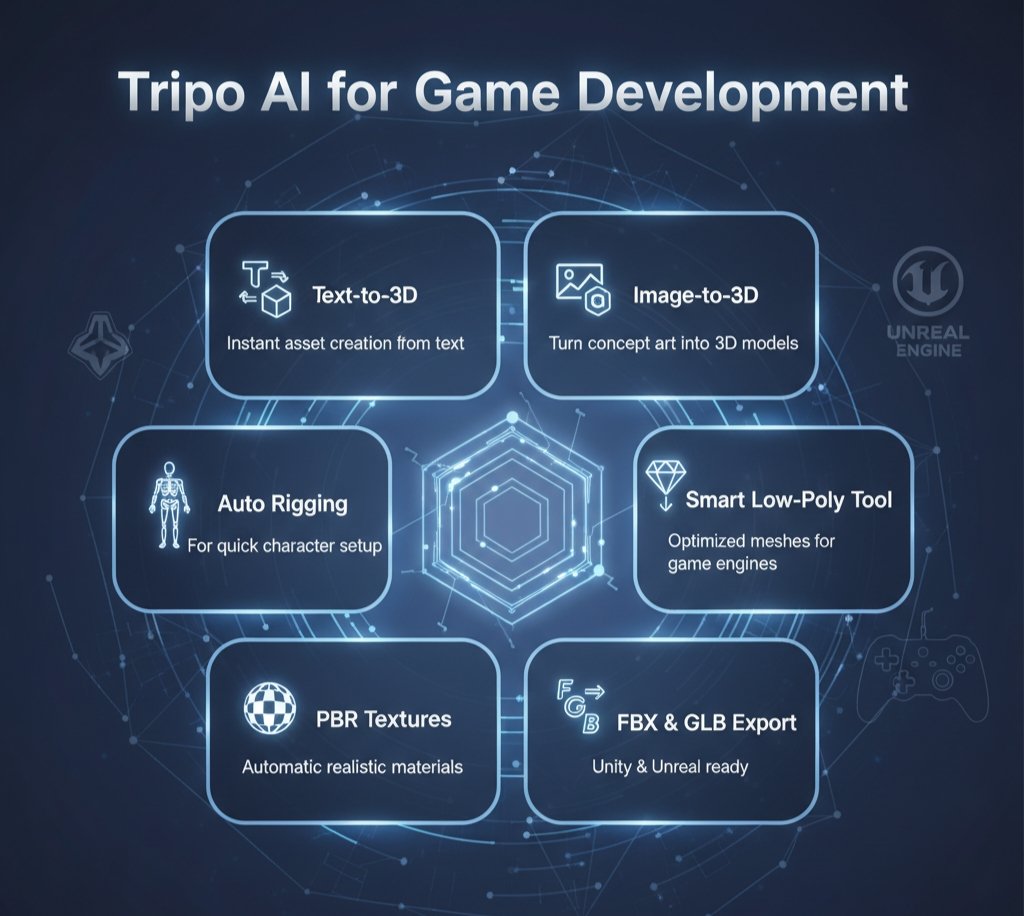
Tripo AI is not just a novelty generator, but a powerful tool that accelerates your entire game development pipeline.
A. Text-to-3D: Rapid Prototyping
Create 3D assets directly from text and use them for scene blockouts or concept visualization.
Example:
- Prompt: “Low-poly game asset of an ancient wooden crate, rusty metal hinges, hand-painted texture, optimized mesh.”
- Result: Base geometry ready in seconds. Perfect for testing scale, placement, and lighting in your level.
With Tripo AI for game development, you can skip 30 minutes of manual box-modeling and focus on creativity instead of repetitive work.
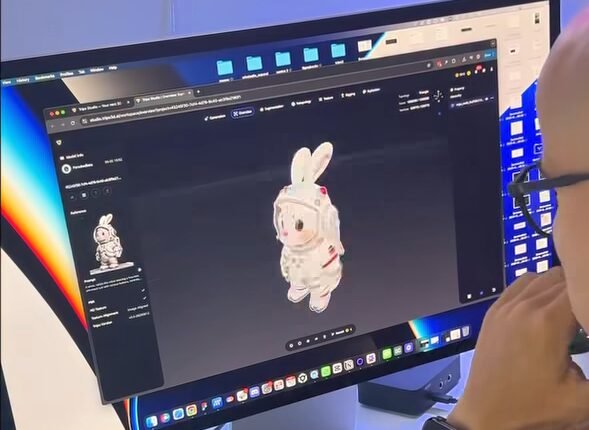
B. Image-to-3D: Concept Art to Model
If you already have concept art, Tripo AI can convert it into a 3D object instantly.
- Upload a clear, well-lit concept image (for example, a sci-fi helmet).
- The Multi-view generation feature (available in Pro plans) improves accuracy and structural integrity.
C. Game-Ready Output Checklist
Tripo AI automatically addresses key metrics that game developers focus on before exporting assets.
| Metric | Tripo AI Solution | Game Dev Takeaway |
|---|---|---|
| Polygons (Polycount) | Smart Low-Poly Tool | Reduces mesh complexity; Blender cleanup optional. |
| Textures | PBR Textures (Automatic) | Exports Albedo, Normal, Roughness, and Metallic maps. |
| Export Formats | FBX and GLB Support | FBX for characters; GLB for props and AR/VR assets. |
| LODs | Auto LOD Generation | Ideal for mobile or performance-heavy games. |
2. Workflow Integration: Unity & Unreal Engine
This step saves the most time. Models can be taken directly from the Tripo AI browser interface into your game engine.
Character Workflow: Auto-Rigging
- Generate Character: Create your model using text prompts.
- Auto-Rig: Skeleton and rig are automatically generated.
- Testing: Check basic poses like A-pose or running to ensure skin weights and joints are clean.
Export Steps
Export from Tripo AI:
- For static props: Use GLB or FBX.
- For rigged characters: Always use FBX.
Engine Import Instructions
| Engine | Recommended Steps | Key Settings |
|---|---|---|
| Unity | Drag the FBX/GLB file directly into your Project window. Unity automatically creates materials. | Ensure scale factor = 1.0. Adjust if the model appears too small. |
| Unreal Engine | Import FBX/GLB using the Content Browser import option. | Check “Convert Scene” for correct rotation. Enable “Generate Missing Collision.” |
View this post on Instagram
3. Tripo AI vs Traditional 3D Modeling Workflow
| Metric | Tripo AI (AI-First) | Traditional Modeling (Blender/Maya) |
|---|---|---|
| Initial Asset Time | 8–60 Seconds | 1–2 Hours |
| Topology Quality | Good (Requires Optimization) | Excellent (Hand-Built) |
| Retopology Needed | Sometimes (for hero assets) | Rarely |
| Best For | Rapid Prototyping, Environment Props, NPC Variants | Final Polish, Hero Assets, Complex Characters |
Conclusion: Tripo AI for game development is the ultimate pre-production tool. Use it to rapidly fill levels, test lighting, and finalize concepts — allowing your human artists to focus on high-detail work that defines your game.
4. Pricing & Advice for Indie Devs
Tripo AI follows a credit-based subscription model suited for different needs.
- Basic (Free): 300 credits for testing and non-commercial prototyping.
- Professional ($15.90/month): 3,000 credits, private models, commercial use rights, and FBX export — best for indie devs.
- Advanced: 8,000+ credits — ideal for small studios with large asset needs.
Also Read: Stop Watching, Start Learning: 5 Best AI Tools to Generate Notes for YouTube Videos
Final Advice: Stop hand-modeling every background prop. Use Tripo AI for game development in the concept and blockout phase to save time and let your human artists focus on creating high-impact assets.