
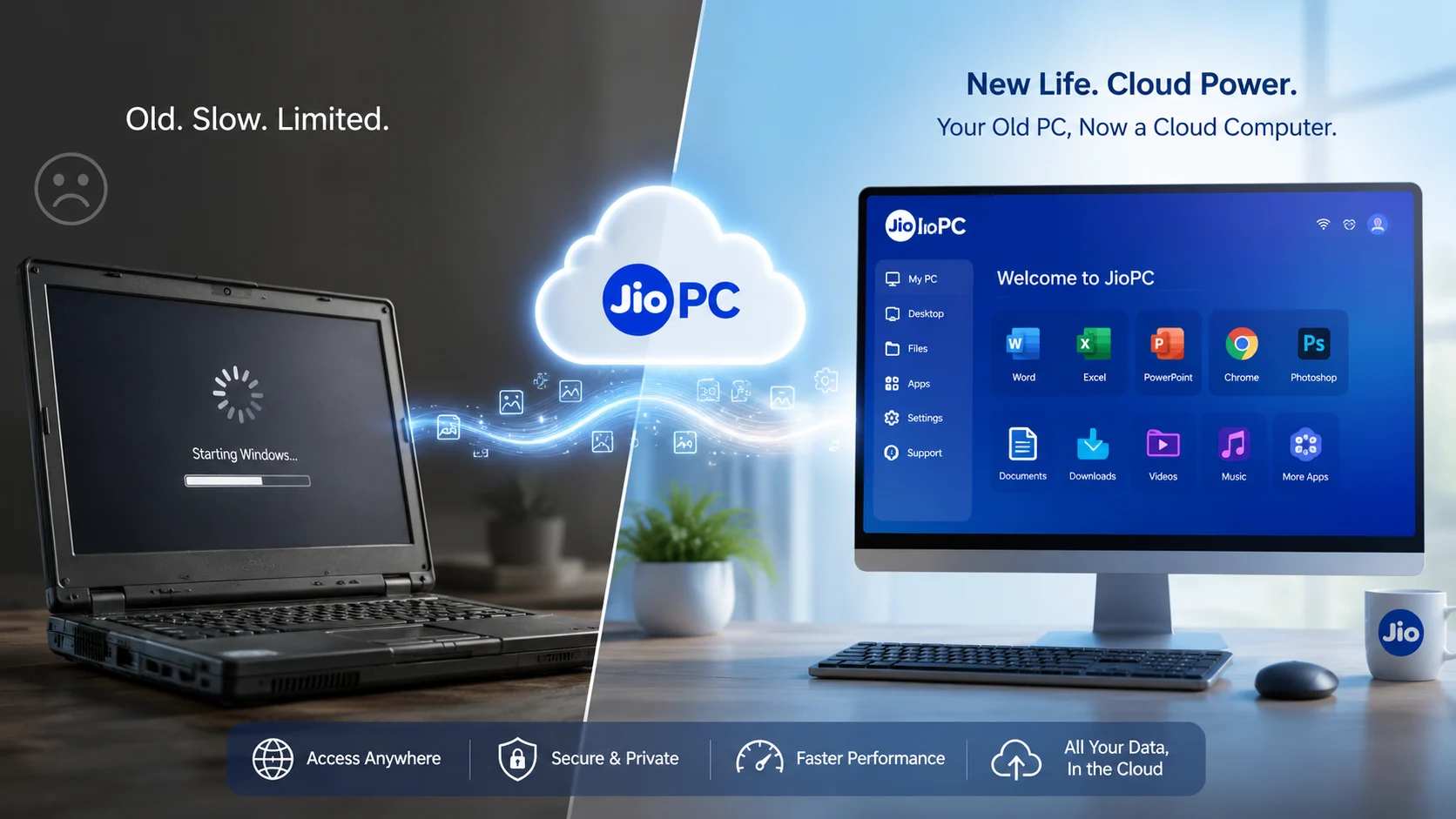
Have you ever looked at your slow, frustratingly sluggish computer and wondered why a machine that once ran smoothly now struggles with simple daily tasks?
Millions of users face the dilemma of watching aging hardware lag behind modern software, raising an urgent question: is there a way to bypass expensive laptop upgrades without buying a brand-new system?
Act now- audit your current system specs, check your home internet speed, and discover how a powerful JioPC cloud computer can transform your old monitor into a high-performance machine.
What is a cloud PC?
A cloud PC is a fully functional computing experience delivered entirely over the internet, rather than depending on local machine components.
Instead of executing applications on your desk, your physical screen, keyboard, and mouse interface with remote data centers managed by Reliance Jio.
This modern desktop as a service (DaaS) approach eliminates the traditional hardware bottlenecks that slow down aging laptops.
How JioPC works
- Easy Connection: Users link an existing display, older laptop, or compatible Jio set-top box to access the remote ecosystem.
- Streamed Interface: The desktop environment is streamed smoothly from Jio Platforms straight to your screen.
- Extended Utility: The service is designed to extend the active life of older hardware, turning an entry-level screen into an AI-ready computer.
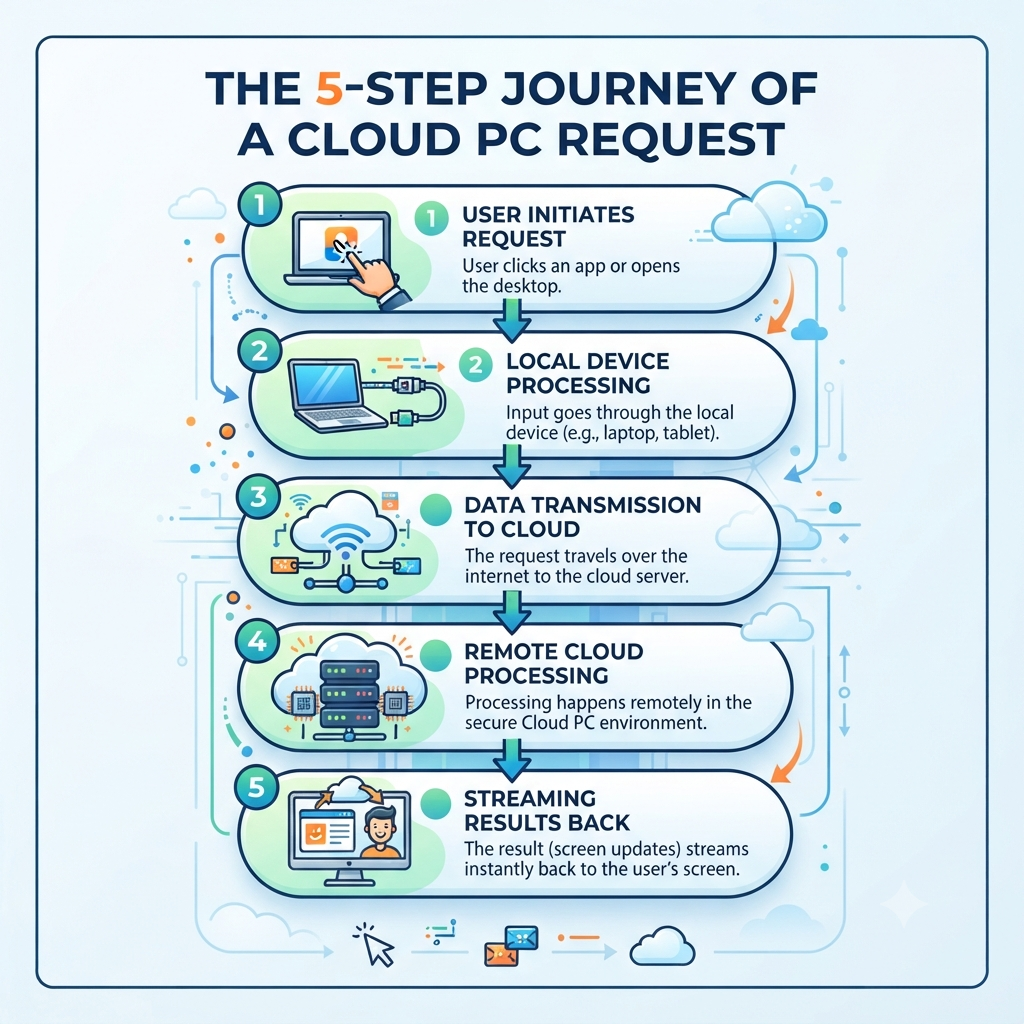
Local vs cloud hardware
Understanding how tasks are divided between your desk and the cloud makes it easy to see why old machines feel fast again:
| Part | Local hardware | Cloud hardware |
|---|---|---|
| Input | Keyboard and mouse | Not applicable |
| Display | Your PC screen or TV | Streams the desktop interface |
| Processing | Minimal (input transmission) | Heavy computing tasks and app execution |
| Storage | Limited local hard drive space | Robust cloud storage resources |
| Performance boost | Depends on old device specs | Driven by powerful remote server setups |
Where processing happens
The core magic of a cloud computer lies in shifting the heavy lifting away from your physical desk. Local hardware only needs to handle basic inputs, user interface displays, and smooth connectivity.
Meanwhile, intense calculations, software execution, and large file management happen entirely on remote servers. In simple terms, your old computer becomes an interactive window, while Reliance Jio‘s infrastructure does all the hard work.
Internet speed needed
Because the entire desktop experience streams from remote data centers, a stable and fast internet connection is mandatory.
Whether you rely on JioFiber, JioAirFiber, or another reliable provider, your network quality directly dictates how responsive the virtual desktop feels. Good connectivity matters far more here than having a powerful CPU inside your legacy laptop.
JioPC plans and pricing
Subscription tiers scale according to performance demands, offering standard and Ultra configurations with distinct resource limits:
- Standard Tiers: Feature balanced configurations with 8GB RAM and 500GB storage options across flexible validity cycles.
- Ultra Tiers: Deliver heavier resource allocation with 16GB RAM and 1TB storage for demanding workflows.
- Subscription Model: Available via accessible prepaid plans starting around ₹1,000 for a 2-month cycle, scaling up for multi-month options.
Also Read: How JioPC Became Available to Everyone in India After the JioHome Restriction
FAQs
- Can JioPC completely replace a traditional local computer? It handles browsing, media, and productivity apps seamlessly, though heavy offline tasks may still require local processing.
- Do I need a specific broadband connection to use it? While optimized for the broader Jio ecosystem, any stable, high-speed broadband connection can power the service.
- How do I get started? Simply check device compatibility on the official portal, choose your subscription tier, and launch the portal via a supported browser or app.
Sources
- [1] Times of India – Reliance Jio Launches JioPC as Standalone Service – Times of India Tech News
- [2] Official Jio JioPC Portal – JioPC Service Overview
- [3] Business Standard – JioPC Expands Beyond JioHome – Business Standard Tech
- [4] Official Jio Portal – JioPC Virtual Desktop Service
- [5] News9 Live – JioPC Cloud Computer Analysis – News9 Live Tech Coverage
- [6] India Today – JioPC Announcement and Target Audience – India Today Tech
- [7] Official Jio PWA Portal – JioPC Virtual Desktop Service to Upgrade Old Computers
- [8] Gadgets 360 – JioPC Launch Details – Gadgets 360 Laptops News
- [9] Indian Express – Reliance Launches JioPC Set-Top Box Features – Indian Express Tech
- [10] The Hindu – Reliance Jio Launches JioPC Virtual Desktop Platform in India – The Hindu Sci-Tech