
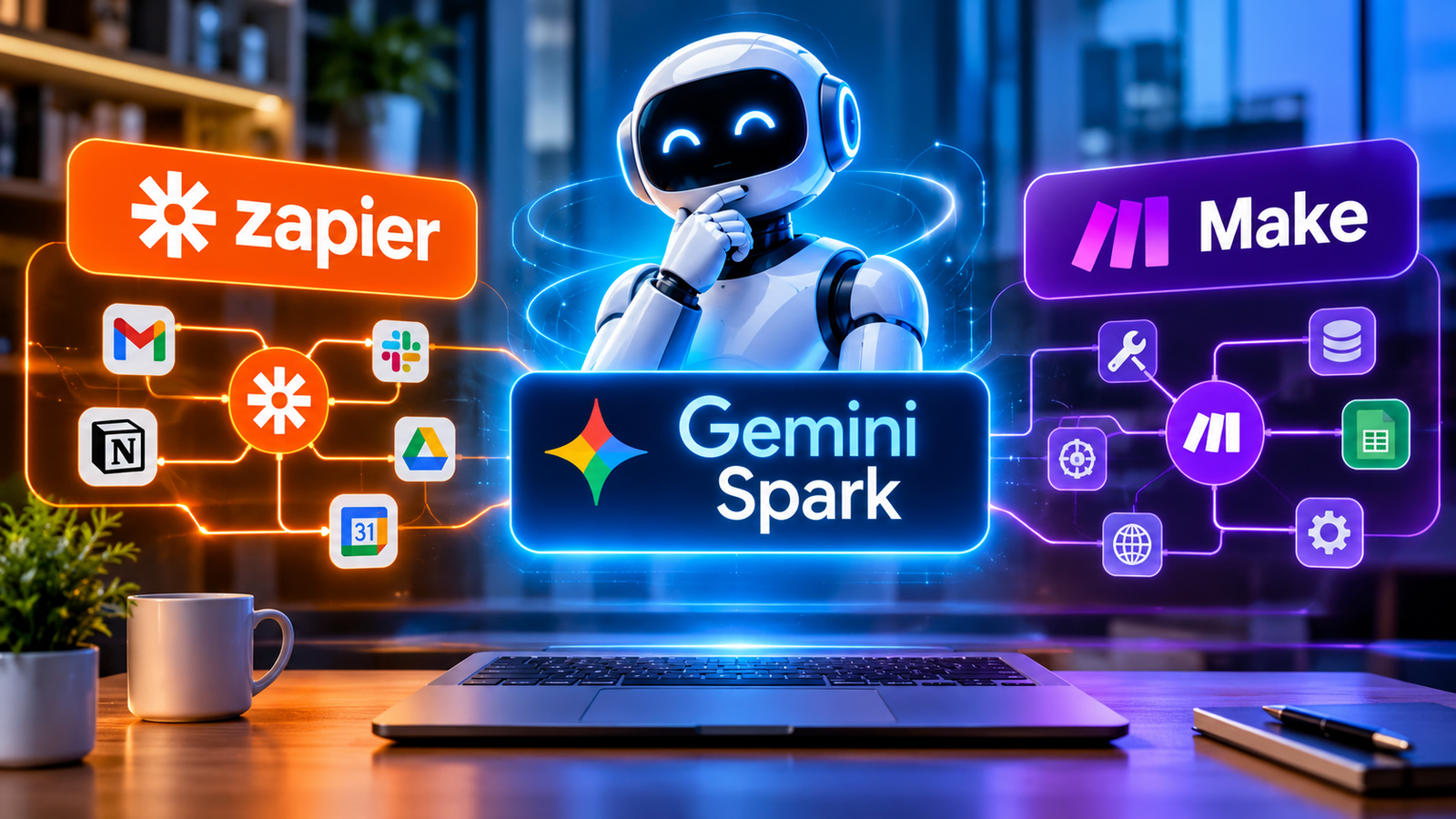
Gemini Spark, Zapier, and Make can all automate your work, but they solve different problems. Spark is best for personal, Google-based, conversational task management. Zapier is best for connecting lots of apps quickly. Make is best for complex, visual business workflows.
The right pick depends less on which one has the smartest AI and more on where your work happens, how much control you need, and how often the workflow runs.
The quick answer
| If you need… | Go with | Why |
|---|---|---|
| Personal task management across Gmail, Calendar, Drive, and Docs | Gemini Spark | You describe the goal in plain language and it works across Google services, connected apps, and schedules |
| Fast automations across lots of mainstream SaaS tools | Zapier | Simple trigger-and-action Zaps with broad app coverage |
| Branching, data-heavy workflows with visual control | Make | A canvas-based builder with routers, filters, and credit-based pricing |
| A chat front end with a controlled backend | Spark + Zapier or Make | Spark handles intent, the other handles reliable execution |
My rule of thumb: use Spark when you want to describe an outcome. Use Zapier or Make when you want to design the process.
What each tool actually is
These aren’t direct substitutes. They’re three different ideas about what automation should feel like.
Gemini Spark is Google’s personal AI agent for ongoing tasks and workflows in Gemini. You tell it what you want, and it uses Google Workspace, connected apps, signed-in websites, and other context to get it done. You don’t build every trigger and action yourself. Spark figures out the how.
Zapier is a trigger-and-action platform. Something happens (a trigger), and one or more things follow (actions) across your connected apps. You define the steps, and Zapier runs them the same way every time. Think of it as a dependable automation layer.
Make is a visual platform where you build “scenarios” by linking modules, filters, routers, and logic branches on a canvas. It gives you much more control over data handling and multi-step logic. Think of it as an operating system for your workflows.
Feature comparison
| Feature | Gemini Spark | Zapier | Make |
|---|---|---|---|
| Interface | Conversational prompt and Task view | Zap editor and templates | Visual scenario builder |
| Best for | Personal productivity, Google-heavy work | Broad SaaS automation | Complex operations |
| Google Workspace | Native: Gmail, Calendar, Drive, Docs, Sheets, Slides, Tasks, Keep | Through connectors | Through connectors |
| Apps | Google services, selected third-party and custom apps | Very broad third-party coverage | 3,500+ apps plus custom API integrations |
| Control | You set the goal, the agent decides the steps | Trigger-action logic | Branching, routers, filters, loops |
| Pricing | Tied to a Google AI subscription | Task-based | Credit-based |
| When it goes wrong | Ask again or adjust the task | Check Zap history | Inspect scenario logs |
Where Gemini Spark wins
Spark shines when your life already runs on Google and you don’t want to maintain a rigid workflow.
- You just say what you want. No manual trigger and action setup.
- It knows your Google context. Gmail, Calendar, Drive, Docs, Sheets, Slides, Tasks, Keep, and Search are all in reach.
- It handles recurring work. It supports scheduled tasks, not just one-off prompts.
- You can extend it. Custom connected apps widen what it can do.
- Setup is light. There’s no canvas to maintain and no automation logic to learn.
A good example: “Every weekday at 8 a.m., review my unread Gmail, spot client requests, put Calendar holds on the urgent ones, and set up a Drive folder for each new project.”
Spark fits best when the work is personal, variable, and conversational. You’re not building a production system. You’re handing off a recurring responsibility.
Where Zapier wins
Zapier is the pragmatic choice when you need to connect a lot of mainstream tools fast and keep things simple.
- Huge integration coverage across third-party apps.
- An easy mental model. Trigger, action, result. Non-technical people get it immediately.
- Predictable usage counting. Successful actions count as tasks, and triggers don’t.
- AI inside a structured flow. AI by Zapier can extract, classify, and summarize while the Zap stays predictable.
- Plenty of templates for common CRM, marketing, and sales workflows.
Example: “When a Typeform response comes in, qualify the lead with AI, create a HubSpot contact, ping Slack, and add a row to Google Sheets.”
Zapier is at its best when you already know exactly what should happen and you want it to happen the same way every time.
Where Make wins
Make is the power-user pick. If your workflow has real logic in it, this is where you’ll feel at home.
- Visual control. You can see branching, routing, and filters laid out in front of you.
- Better with complex data. Multi-step processes, transformations, and conditional paths are its strength.
- AI agents with visibility. You get adaptive decision-making without losing track of what’s happening.
- Custom integrations. It supports APIs beyond its native catalog, which matters for niche internal tools.
- Flexible credits. Most module actions cost one credit, though some advanced AI features cost more.
Example: “When a support ticket arrives, classify urgency, search the knowledge base, update the CRM, route high-risk cases to a human, and log every decision.”
Make works best when the workflow is business-critical and multi-step, and you need to see what’s going on. You’re not automating a task. You’re building an operational system.
Pricing comparison
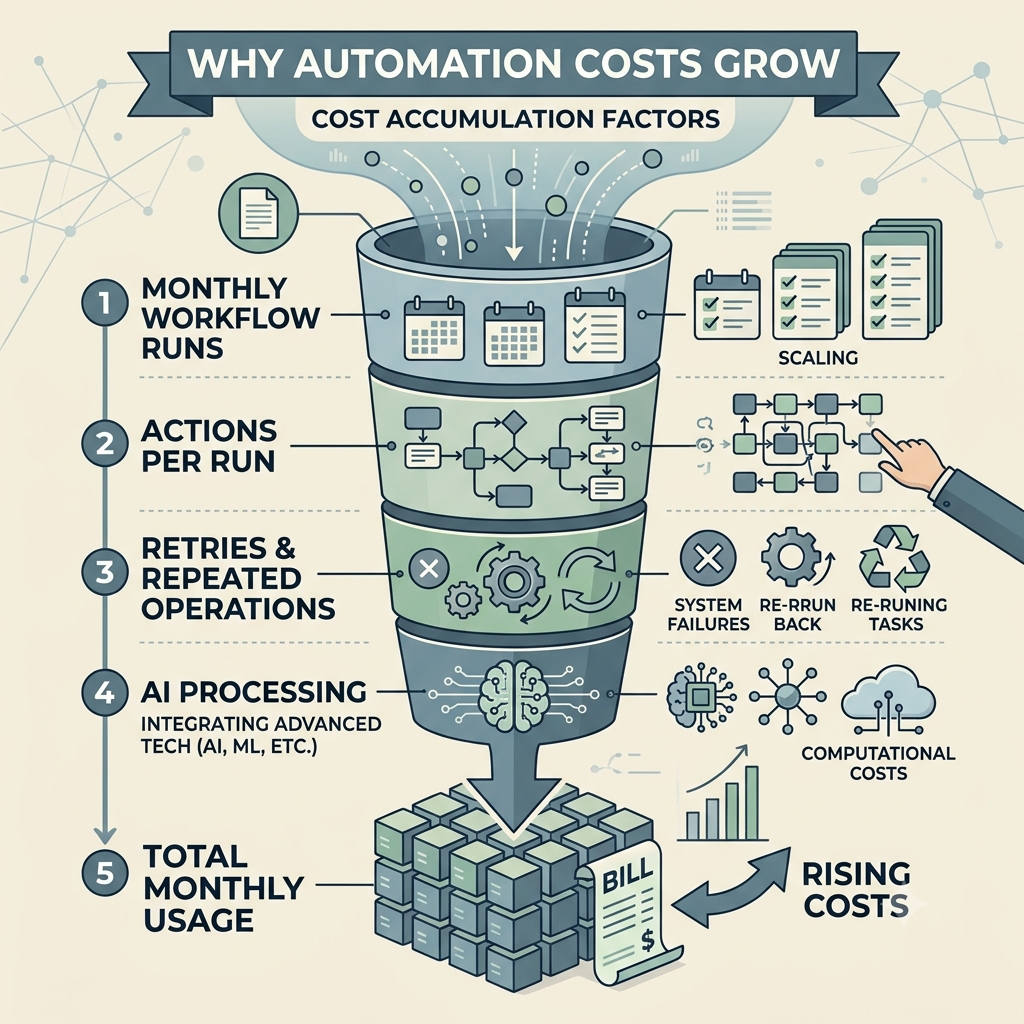
The pricing model changes your real costs more than the list price does.
- Gemini Spark requires a qualifying Google AI subscription (in the U.S., Google AI Pro or Ultra). Watch for task limits and connected-app permissions.
- Zapier is task-based. The free plan includes 100 tasks a month. Multi-step Zaps burn through tasks quickly, because each successful action counts. A lead that triggers three actions can mean three tasks.
- Make is credit-based. The free plan includes 1,000 credits a month, and paid plans start at $9/month for 10,000 credits on annual billing. A workflow with lots of modules can use credits faster than a simple Zap, and AI operations may cost more.
So the question isn’t “which plan is cheapest?” It’s “how many successful actions will this workflow run every month?” Your monthly cost is your base plan plus whatever you use beyond the included limits.
Reliability and control
This is where the three tools differ most.
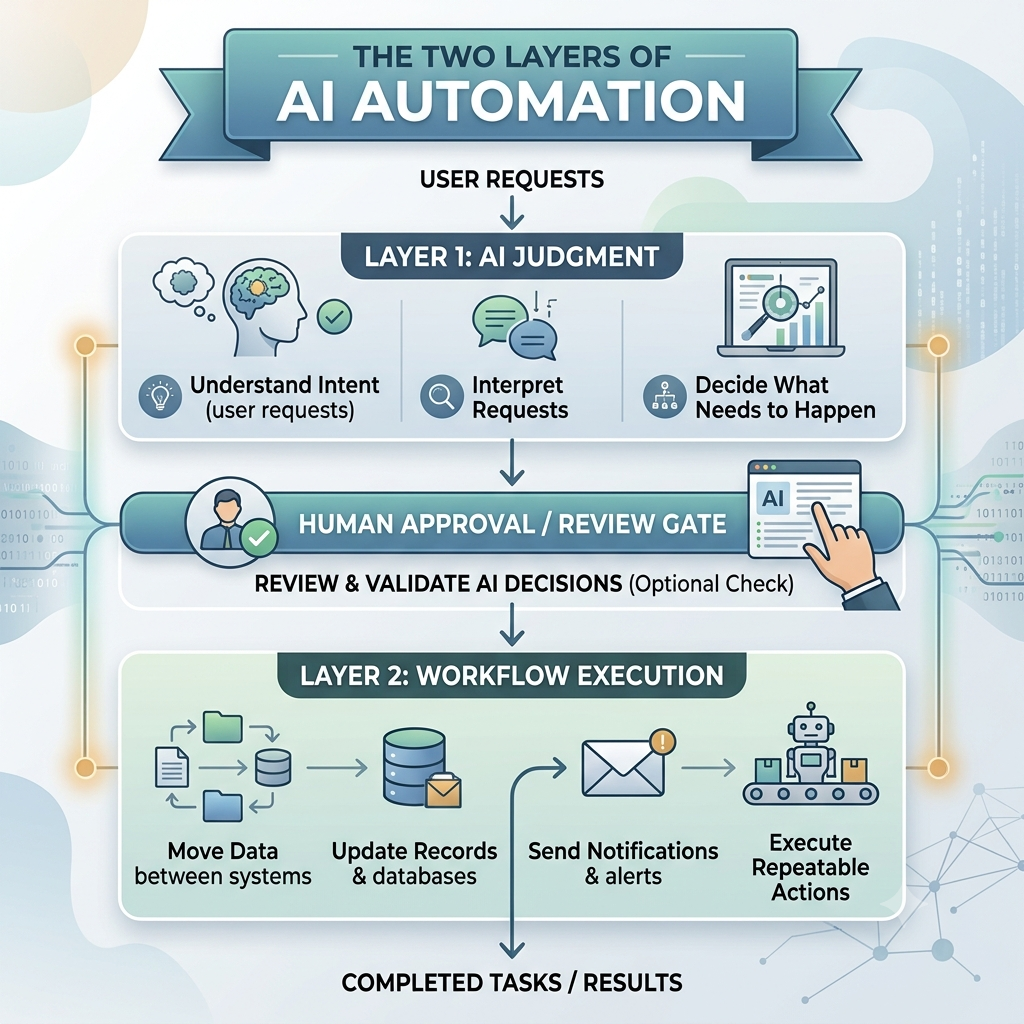
Spark is the most flexible. The agent decides how to reach the outcome you described, which is great, but you should verify anything important it produces.
Zapier is predictable. Because the Zap structure is fixed, it’s easy to reason about what will happen.
Make gives you visible branching, detailed execution logs, and controlled escalation paths.
One line I keep coming back to: use AI agents for judgment, use deterministic automation for execution, and don’t ask one tool to do both jobs badly.
Security and permissions
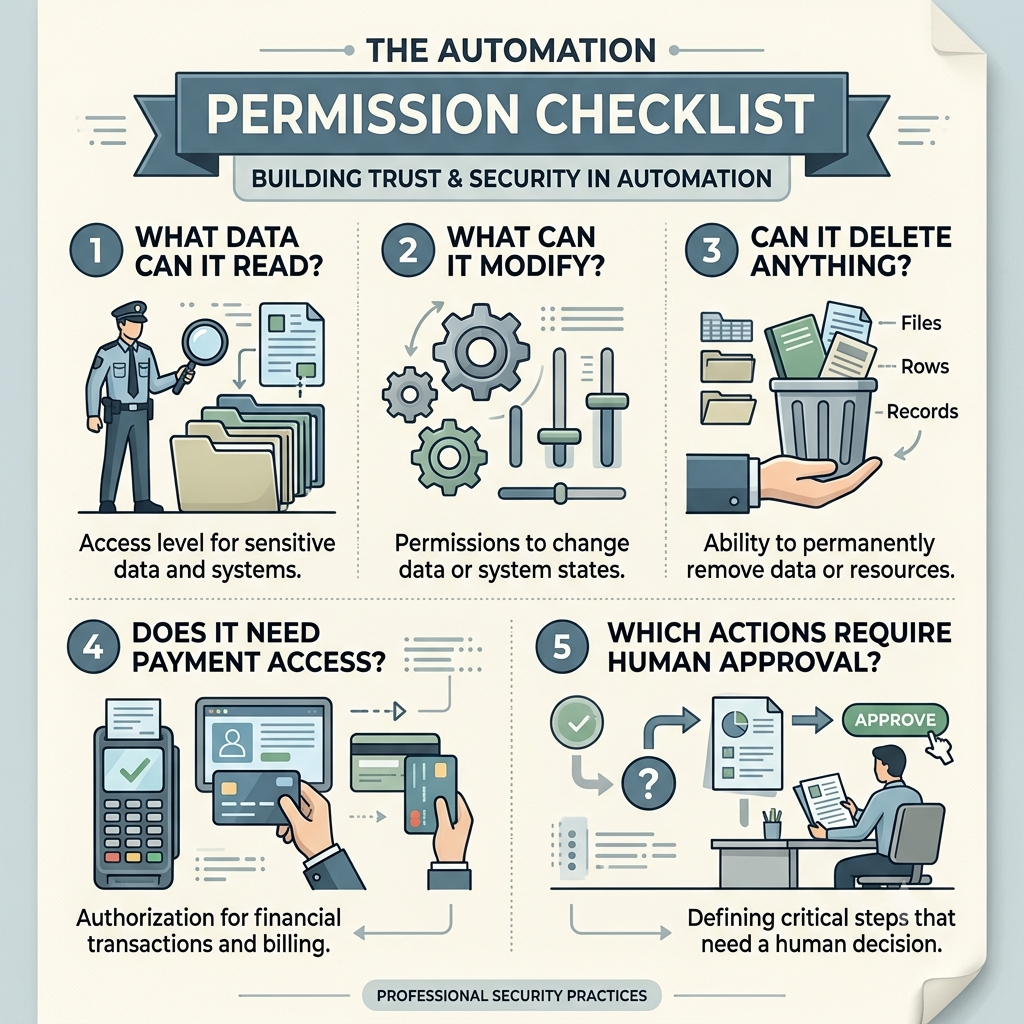
Before you compare features, ask what this automation can touch if it fails or does something wrong.
- Spark can use connected apps, Google Workspace, signed-in websites, location, and other context. Google advises monitoring tasks, and Gemini may ask you to take over certain browser actions.
- Zapier acts only within the apps and permissions you connect.
- Make offers role-based access, audit logs, and real-time analytics.
With any of them, apply least privilege. Connect only the accounts and permissions the workflow genuinely needs.
How to decide
- Is your work mostly inside Google Workspace? Start with Spark.
- Do you need to connect lots of mainstream SaaS apps quickly? Start with Zapier.
- Do you need branching, transformations, custom APIs, or detailed logs? Start with Make.
- Want a conversational front end with a controlled backend? Combine Spark with Zapier or Make.
- Is it business-critical or does it handle customer data? Lean toward Zapier or Make, with approval steps, logs, and tight permissions.
Three real-world setups
A freelancer handling client onboarding. Use Spark for inbox and calendar triage, and Zapier or Make for the CRM, invoicing, and document generation. Spark handles the coordination, and the workflow tool handles the repeatable parts.
A small ecommerce team processing orders. Use Make for the core order workflow and Zapier for simple notifications. Make gives you visual control, and Zapier is quick for the small stuff.
A founder who wants a daily business brief. Spark alone does the job. The data is Google-native, the task is scheduled, and the natural-language interface fits.
Common mistakes
- Treating Spark as a full Zapier replacement
- Building a revenue-critical workflow entirely out of natural-language prompts
- Comparing list prices without estimating real task or credit usage
- Giving an agent broad access to email, Drive, your CRM, and payment tools without reviewing permissions
- Assuming “AI agent” means “reliable.” Agent judgment still needs guardrails.
Final recommendation
- Choose Gemini Spark if your work is personal, Google-centric, conversational, and moderately complex.
- Choose Zapier if you want the fastest route to broad SaaS automation with minimal setup.
- Choose Make if you’re building operational systems that need visual logic, custom APIs, and detailed control.
- Go hybrid if you want Spark as the interface and Zapier or Make doing the execution.
The best automation stack isn’t one tool that replaces everything. It’s the one that matches how you actually work: Spark for intent, Zapier for breadth, and Make for control.