

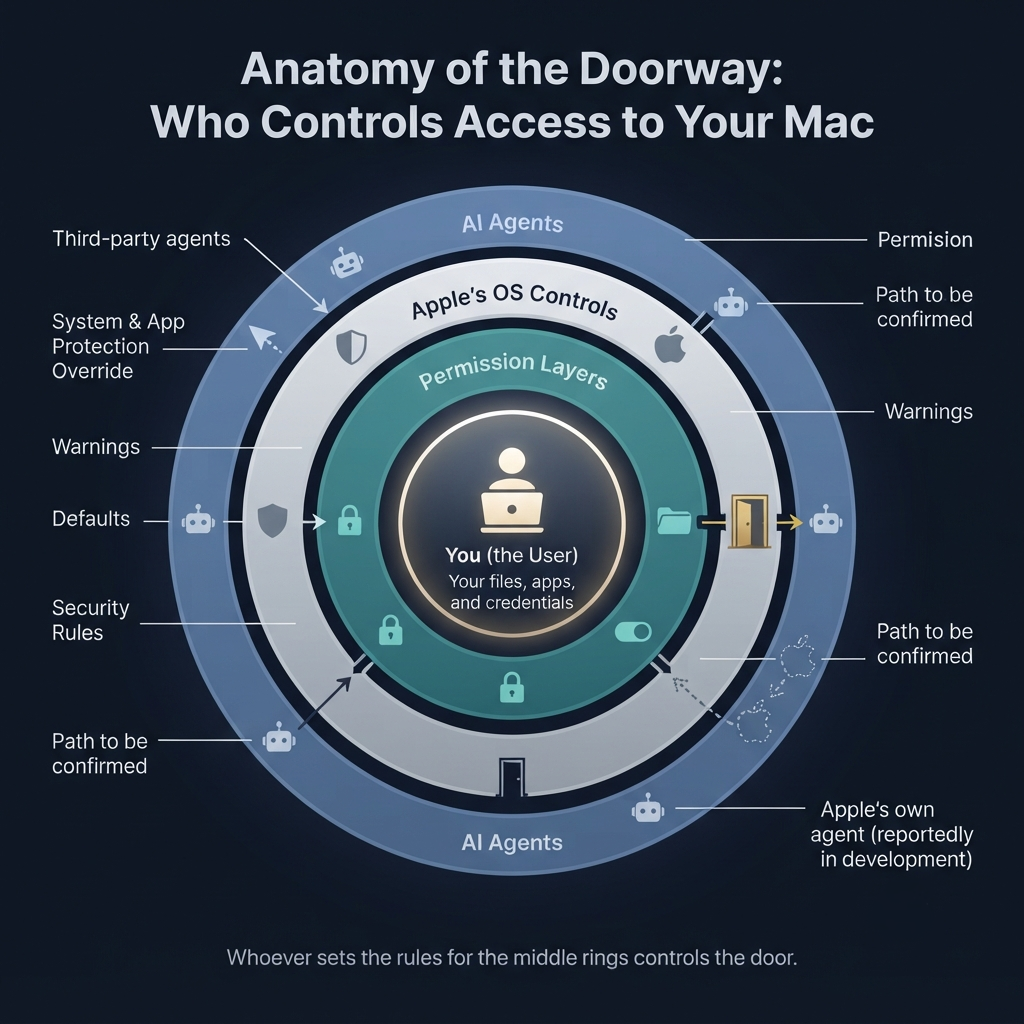
Apple is reportedly building its own Mac AI agent. At the same time, it’s making it much harder for third-party agents like ChatGPT to get the system-wide access they need. In the macOS 27.3 beta, turning on ChatGPT’s computer-use feature reportedly takes 14 separate steps. It used to take four.
None of that proves Apple is deliberately shutting out competitors. But it does hand Apple a big strategic edge. Apple writes the security rules, designs the warning screens, sets the permission defaults, and shapes the whole experience every outside AI agent has to go through. Meanwhile, it’s reportedly preparing an agent of its own that can browse the web, control apps, and write code.
The Permission That Changed the Race
AI agents are no longer just answering questions. They’re starting to do things: opening apps, clicking through interfaces, reading files, filling out forms, writing code, and finishing multi-step tasks for you.
That creates an obvious security headache. An agent with broad access to your Mac could read sensitive documents, change files, send messages, grab credentials, or act across apps. Apple’s answer is to make you stop and think before handing over that kind of power.
In the macOS 27.3 beta, Apple has added warning screens and stretched out the setup process for third-party computer-use agents. For ChatGPT, that reportedly means a 14-step approval flow instead of four.
An AI agent that can control your Mac is either the most useful software feature of the decade or the most dangerous. Apple wants you to feel both possibilities before you say yes. But with Apple reportedly building its own agent, the question isn’t only whether macOS is secure. It’s who gets to operate smoothly inside Apple’s ecosystem.
What Apple Is Building
This isn’t just a better Siri. Reporting suggests Apple is developing an agent that can browse the web, control applications, and write code. It’s meant to work across the whole Mac, not sit in a chat window waiting for questions.
That puts Apple up against OpenAI, Anthropic, Google, Meta, and others, all of whom are building “computer-use” agents that do work instead of just generating text.
Apple’s own job postings reportedly stress the need for strong permission models, sandboxing, and transparency for agents that run code and act on a user’s behalf. There’s also talk of a late-2027 launch, though that’s speculation, not an announcement.
What stands out is the timing. Apple is tightening the rules for outside agents right as it’s reportedly getting its own ready.
The 14-Step Wall
The headline is simple: four steps became 14. The more interesting question is what those extra steps tell users.
| Element | Before | macOS 27.3 beta |
|---|---|---|
| ChatGPT computer-use setup | Four steps | 14 distinct steps |
| User experience | Relatively direct permission grant | Repeated warnings and explicit reconsideration prompts |
| Permission model | Combined device-control and data-access permission | Split into System & App Protection Override and Accessibility |
| Access scope | Broader approval path | Users are encouraged to grant narrower app- or folder-specific access |
| Ongoing control | Persistent permission | Optional “ask every time” mode and an indicator when one app controls another |
You can defend every one of those extra screens as informed consent. People should understand that they aren’t just installing an app. They’re letting software operate their computer.
But consent design is also a kind of platform power. Apple decides how many warnings show up, what they say, which permissions get separated, what the defaults are, and how hard it is to push through. Those choices can make a third-party agent feel risky, clunky, and untrustworthy, even if the technology underneath is perfectly sound.
The Security Case: Apple Has a Point
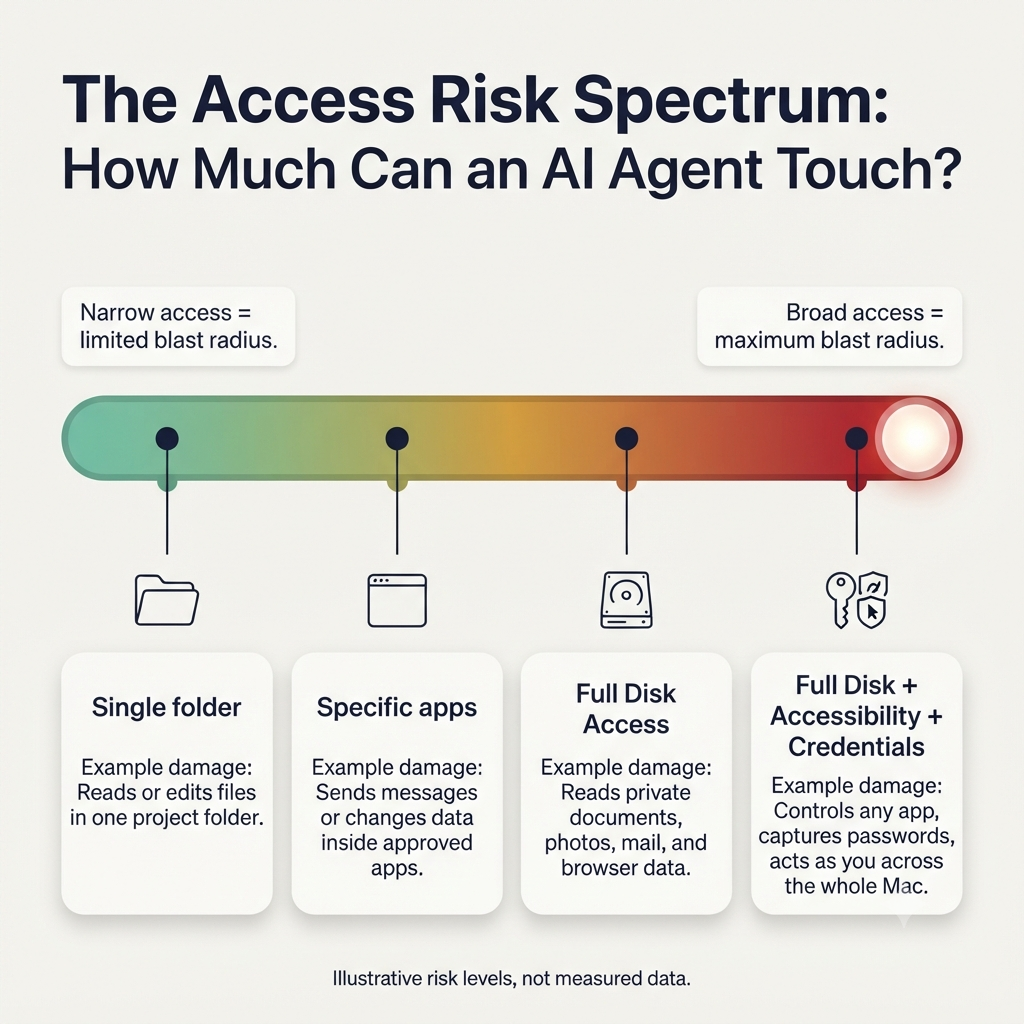
It would be easy to call this plain anti-competitive behavior, but that ignores a real problem. Computer-use agents need unusually broad access to be useful. Full Disk Access, for example, can expose huge amounts of user data to an app.
Apple’s caution isn’t unreasonable. An agent that can run code, use credentials, and act across apps needs much stronger isolation than an ordinary chatbot. Apple’s developer guidance reportedly warns that the risks will grow substantially as agents get more autonomous.
The new controls could genuinely make things safer:
- Users are nudged to grant access to specific apps or folders instead of the entire system.
- Splitting permissions can stop an agent from getting more access than it needs.
- An “ask every time” option gives users ongoing control over sensitive actions.
- A visible indicator when one app controls another makes automation less opaque.
- Existing permissions reportedly stay in place, so Apple isn’t cutting off agents users have already approved.
So this isn’t a blanket ban. It’s friction, and friction can be legitimate.
The Competitive Friction Case
The catch is that friction is never neutral when one company owns the platform.
A 14-step setup isn’t a prohibition, but it is a conversion tax. Every extra warning, confirmation, and permission screen raises the odds that someone gives up halfway, puts it off, or decides the product feels too invasive to trust.
That matters most in consumer software, where onboarding friction can decide whether a powerful feature goes mainstream or stays a niche tool for enthusiasts. Apple can make third-party agents work harder for access while presenting its own future agent as the safer, more integrated option.
A few tensions overlap here:
- Security versus symmetry: If Apple’s own agent eventually gets a smoother, more integrated permission flow, the same security rationale could turn into a competitive advantage.
- Platform-owner advantage: Apple controls the warnings, defaults, permission categories, and user education around Mac automation.
- Distribution economics: OpenAI, Anthropic, Google, and the rest have to convince users to sit through a longer setup. Apple can potentially bake its agent right into the Mac experience.
- The “rogue agent” narrative: Apple can fairly warn users about third-party agents while positioning its own implementation as the trusted, safer path.
The strongest version of the argument isn’t that Apple is breaking the rules. It’s that Apple may be writing the rules in a way that favors the one player who owns the field.
Is This Anticompetitive?
It helps to separate what’s been reported from what’s being inferred.
| Question | What reporting supports | What it does not establish |
|---|---|---|
| Is Apple tightening permissions? | Yes. The macOS 27.3 beta adds warnings, splits permissions, and reportedly expands ChatGPT’s setup flow to 14 steps. | That the changes were designed solely to harm competitors. |
| Is Apple building a competing agent? | Reports say Apple is developing an agent for web browsing, app control, and coding. | That the agent is finished, publicly available, or guaranteed preferential access. |
| Could the changes slow rivals? | Plausibly. More steps and warnings can reduce adoption and complicate onboarding. | That the effect is intentionally anticompetitive rather than a legitimate safety tradeoff. |
| What would prove a moat? | Evidence that Apple’s own agent receives materially easier access, better defaults, or exemptions unavailable to rivals. | Current reporting does not establish that. |
The fair read is a cautious one. Apple has a credible security reason for what it’s doing, and it also has an obvious commercial incentive to slow rivals while it builds its own answer.
A security wall becomes a competitive wall when the gatekeeper also owns the only easy gate.
What Users Gain, and What They Lose
For users, this isn’t simply security versus convenience. It’s also about choice.
Potential gains
- More deliberate consent before an AI can operate across a Mac.
- Narrower permissions, like access limited to particular folders or apps.
- More visibility when one app controls another.
- Better protection against malicious or poorly built agents that go after excessive system access.
Potential costs
- More setup friction for powerful third-party agents like ChatGPT.
- A possible default drift toward Apple’s own tools, which means less choice.
- A fragmented experience if every AI provider has to navigate different permission paths and limits.
- Less innovation if developers decide deep Mac automation is too hard or too risky to bother with.
What Apple Must Do to Avoid the “Moat” Label
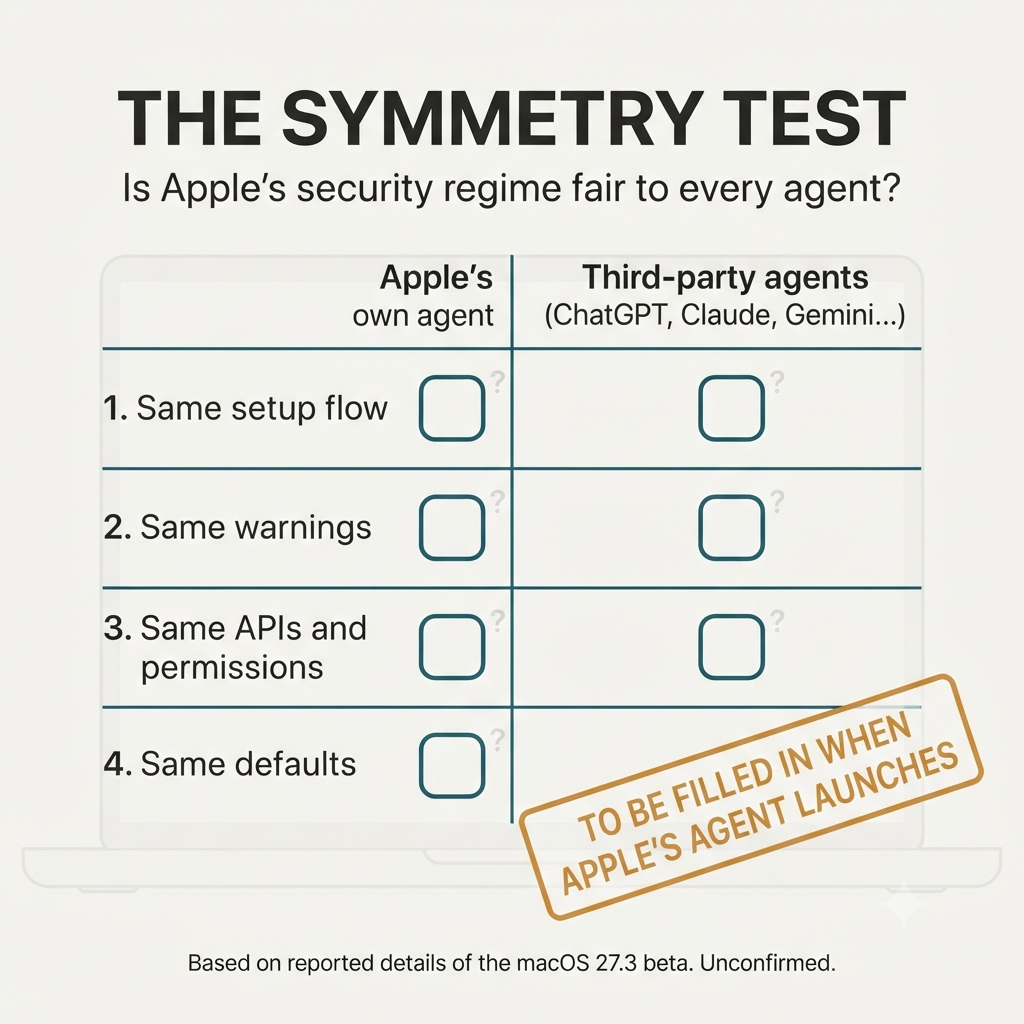
Apple can protect users without turning platform security into a competitive weapon. The fix is symmetry.
- Apply equivalent security requirements and consent flows to first-party and third-party agents.
- Publish clear technical criteria for agent permissions, sandboxing, auditing, and revocation.
- Skip special integration privileges that make Apple’s agent much easier to authorize than rivals’.
- Let users pick a default agent without burying the alternatives behind repeated warnings.
- Offer stable developer APIs and documentation so third parties can build compliant Mac automation.
- Keep security warnings factual and specific, not vague nudges away from outside providers.
If Apple holds its own agent to the same high bar, it can claim the moral high ground. If its agent gets a smoother path while rivals face a 14-step gauntlet, the security argument will start to look a lot like a moat.
The Real Question Isn’t Security. It’s Symmetry.
Apple is right that an AI agent with access to your Mac deserves scrutiny. Autonomous software that can read files, control apps, and take actions shouldn’t get broad permissions without clear user understanding.
But the real test isn’t whether macOS gets harder to automate. It’s whether Apple builds a security regime that protects users from every agent, or one that protects them from every agent except its own.
The next phase of the AI platform war won’t be decided only by who has the smartest model. It’ll be decided by who controls the doorway to the computer.