
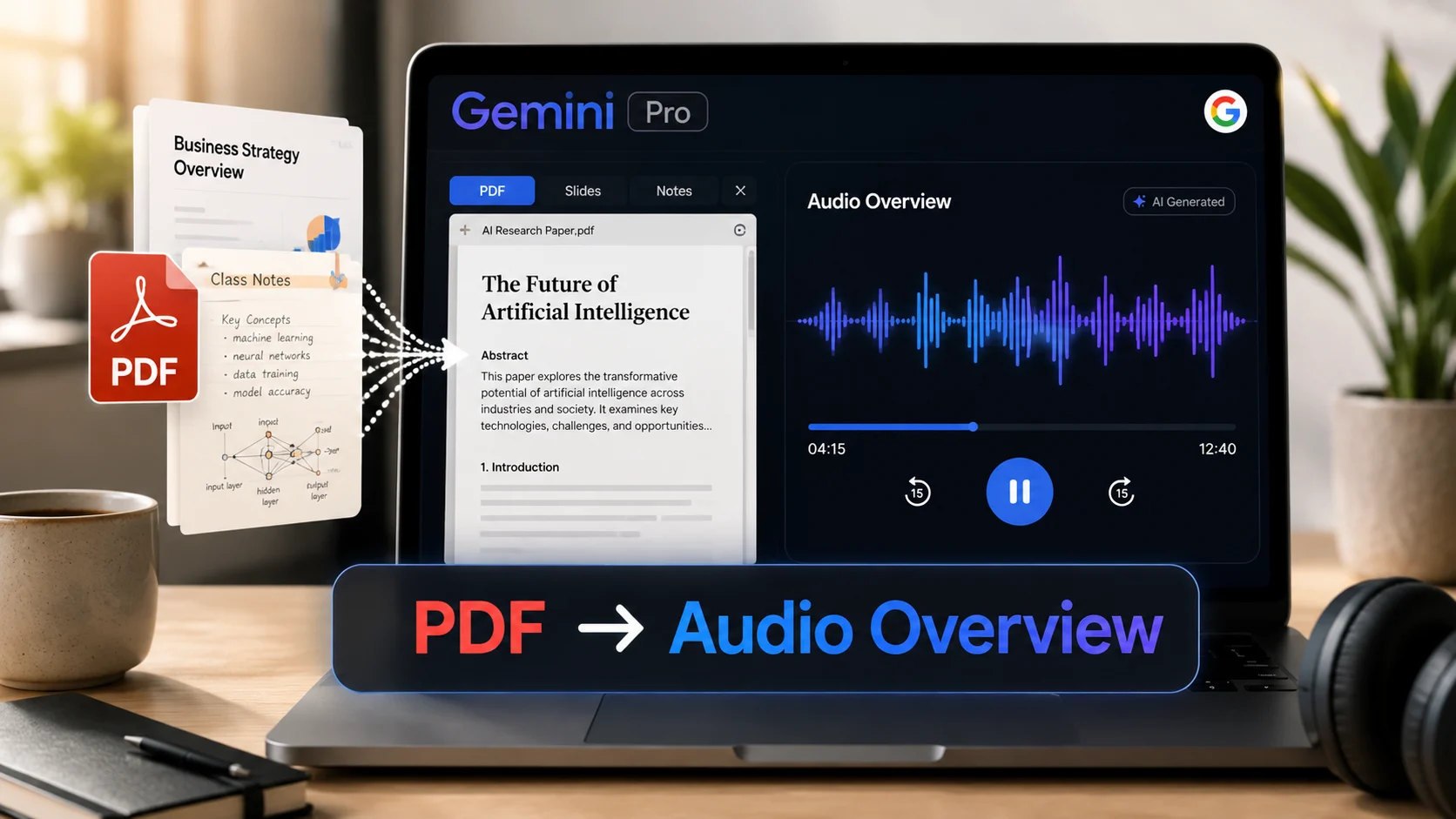
Google expands its AI notebook suite into Gemini Apps, transforming dense PDFs, Google Slides, and YouTube links into two-host conversational podcast overviews.
Google just shocked the research community by bringing NotebookLM’s viral Audio Overviews directly into Gemini Pro. Over 100 million students and researchers process millions of dense PDFs every day, spending hours taking notes.
Can AI podcast hosts revolutionize study workflows and document analysis before this academic year ends? Users everywhere are starting to embrace automated audio summaries to cut research time in half.
What if your next 50-page research doc could speak back to you? Google’s notebook tools handle PDFs, Google Slides, web links, YouTube videos, and raw audio files simultaneously.
Why This Matters for Researchers Now
Research handoffs are notoriously slow. Converting dense literature into actionable knowledge usually takes hours of scanning and manual note-taking.
| Old Research Workflow | New Gemini Notebook Workflow | Key Benefit |
|---|---|---|
| Manual reading | Multi-source AI synthesis | Saves 80% initial scanning time |
| Static text notes | Conversational Audio Overviews | Enables hands-free learning |
| Single-file focus | Combined PDF, YouTube & Web inputs | Eliminates app-switching friction |
This sounds small, but it could save hours every week. The real shift is not search — it’s synthesis.
How Audio Overviews Work in 3 Easy Steps
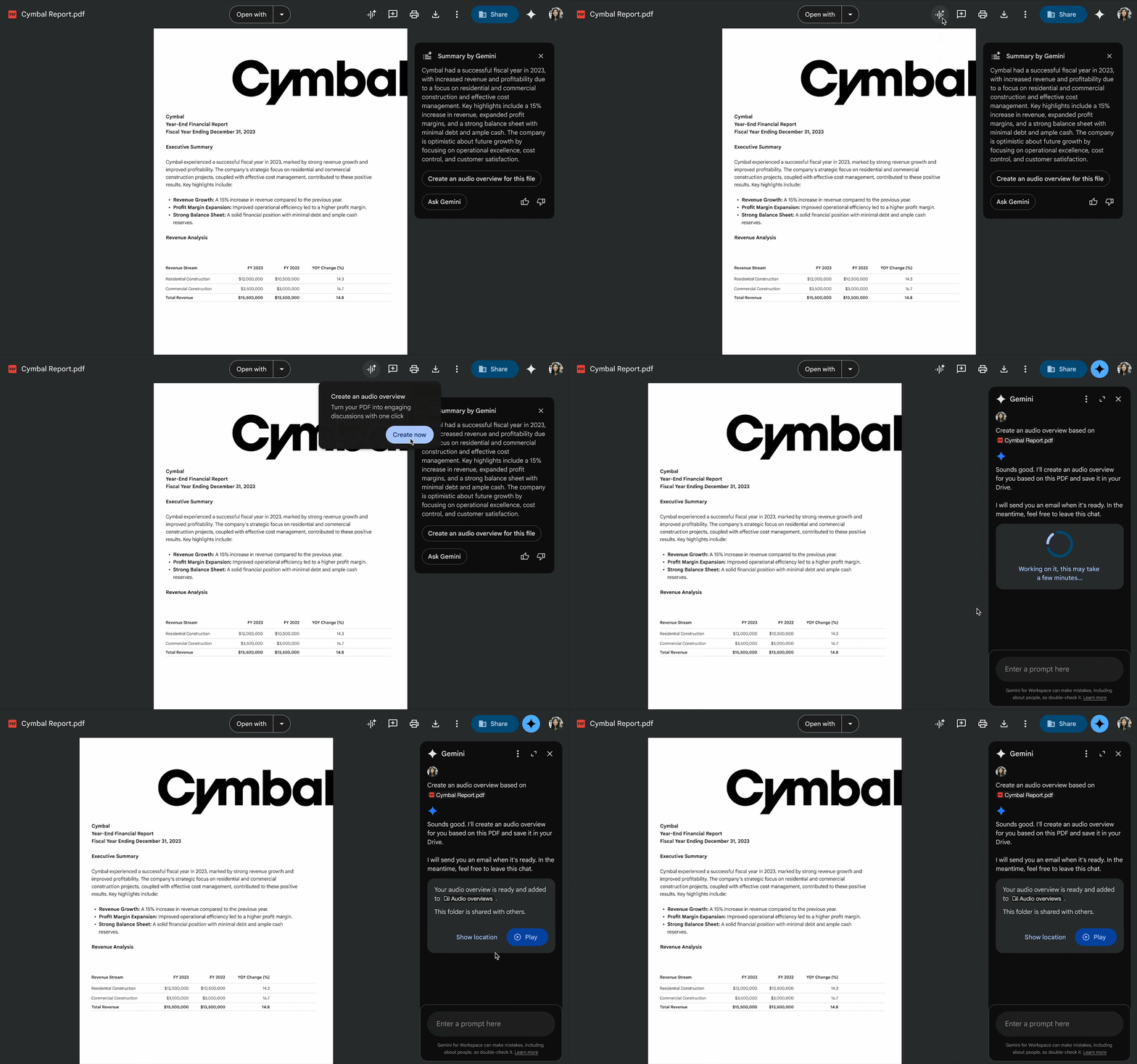
The process translates large documents into engaging, podcast-style audio discussions in minutes:
- Upload sources: Drop your PDFs, slide decks, Google Docs, or YouTube links into your workspace.
- Generate overview: Click “Generate Audio Overview” to prompt two AI hosts to discuss the key insights.
- Listen and review: Play the audio hands-free, adjust playback speed, or download for offline listening.
“Audio Overviews are designed to be objective reflections of your uploaded sources, giving you a quick conversational summary without outside noise.” — Google AI Product Team
Top Use Cases Across Fields
Where does turning text into audio deliver the biggest productivity boost?
- Students: Turn lecture slides, syllabus PDFs, and textbook chapters into quick exam prep podcasts.
- Journalists: Synthesize long interview transcripts, press releases, and background briefing packets.
- Researchers: Digest complex academic papers, market reports, and data slide decks while commuting.
Will students retain more information by listening to AI host discussions than by reading traditional outlines?
Limitations to Watch
While the audio output sounds remarkably human, users should keep a few boundaries in mind:
- Source dependency: The output quality depends entirely on the accuracy and clarity of uploaded documents.
- Processing time: Generating 10-minute audio overviews for large books can take up to 2–3 minutes.
- In-depth nuances: Critical scientific data still requires manual verification against original text.
Yes, the rumors are true: The more powerful Notebook experience is now 100% rolled out to ALL Pro users.
— Gemini Notebook (@Gemini_Notebook) August 4, 2026
You might be asking… How exactly do I use it? Here are a few queries to try (ofc dependent on your sources).
Hot Tip: bookmark this post! Free users too 😉
For Learning:… pic.twitter.com/uKI6d4nZ9H
Official Resources & Coverage
Official Documentation & Portals: • Google Help: Generate Audio Overview in NotebookLM • Google Blog: NotebookLM Adds Audio and YouTube Support • Google Blog: Audio Overviews Expanded to Gemini Apps
Here’s What to Do Today
Are you ready to turn your dense reading list into a personalized AI podcast?