
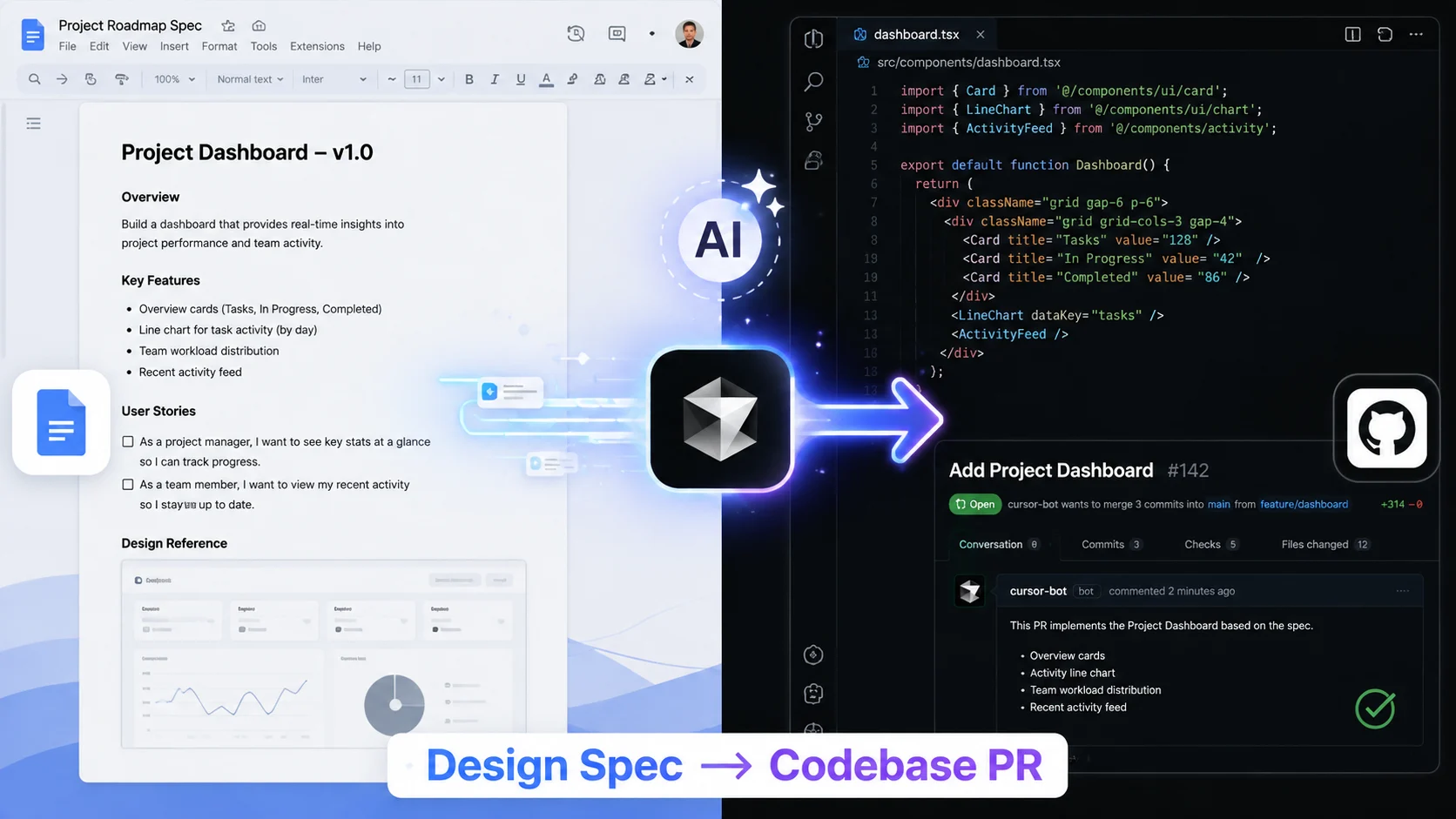
Cursor’s new Google Workspace integrations bridge product design and software development, automatically translating Google Docs product requirements directly into codebase pull requests.
Software engineering teams just got shocked by a massive shift in development workflows. Over 80% of software projects suffer from communication delays during the design-to-code handoff, costing technology companies billions annually.
Can Cursor’s new Google Workspace plugins eliminate manual translation completely before 2026 ends? Product managers and developers are starting to embrace automated pipeline translation to speed up delivery.
The core promise is straightforward: instead of spending hours manually converting requirements into tickets and boilerplates, documentation now drives direct code execution.
Why the Handoff Shift Matters
The traditional gap between product specifications and engineering execution often introduces misunderstandings, scope creep, and extra engineering overhead.
| Old Workflow | New Workflow | Impact |
|---|---|---|
| Specs in Docs | Specs become structured AI input | Faster PR creation |
| Manual interpretation | AI-assisted code mapping | Fewer back-and-forth edits |
| Longer review cycles | Automated initial draft PRs | Less rework for engineers |
Will product managers start writing specs specifically to optimize AI pull request generation? Eliminating friction at the documentation layer means features move from ideation to production in record time.
How it Works in 5 Simple Steps
The workflow compresses days of manual task setup into a streamlined, automated process:
- Write the spec: A product or design spec is authored in Google Docs using clear headers and requirements.
- Connect the plugin: Cursor reads the Google Doc as a structured context source.
- Map the requirements: The plugin parses requirements and maps them against existing codebase files.
- Generate the pull request: Cursor creates a draft pull request complete with implementation code.
- Review and merge: Engineers review, refine, test, and merge the code.
For instance, a spec detailing a new checkout flow or onboarding step can automatically generate the initial UI components and API endpoint stubs for developer review.
Practical Engineering Use Cases
Where does automated spec-to-code transformation deliver the most value for tech teams?
- Scaffolding UI components: Turning feature briefs into initial React or Vue layout structures.
- API integration tasks: Converting backend requirements into typed API integration drafts.
- Test case generation: Extracting acceptance criteria to write automated unit and integration tests.
- Permissions and bug fixes: Translating detailed security specs into system access updates.
What the Experts Say
“The real breakthrough isn’t just code generation—it’s shrinking the gap between product intent and implementation. By connecting docs directly to code, teams preserve context and drastically reduce handoff friction.” — Developer Productivity Analyst
Risks, Limits, and What to Watch Next
While the productivity gains are compelling, teams must remain aware of critical constraints:
- Garbage in, garbage out: Ambiguous or poorly written Google Docs lead to faulty pull requests.
- Human oversight required: Engineers must still review, test, and validate all generated code.
- Security & context boundaries: Proper repository context management is vital to avoid hallucinated dependencies.
Will this make product teams dramatically faster, or just create more AI-generated code to review? As tools evolve, expect meeting notes, ticketing systems, and design files to feed directly into automated production pipelines.
Cloud agents are now 20-30% more token efficient, and 80% more efficient on runs with computer use.
— Cursor (@cursor_ai) August 3, 2026
We’ve improved how they handle MCPs, skills, and computer use, so you can delegate more ambitious tasks and get back demos while staying within budget. https://t.co/WexmB6vD1t
Official Resources & Coverage
Official Coverage & Portals: • Cursor Documentation & Plugin Directory • Google Workspace Marketplace • GitHub Copilot & AI Workflow Insights
Here’s What to Do Today
Are you ready to let product specs generate draft pull requests for your team?