
Brace yourself: your keyboard is about to feel completely abandoned. 72% of mobile users rely on voice shortcuts daily, will you abandon typing today? Don’t wait until your workflow feels hopelessly outdated.
Quick Takeaway
- Thesis: Google’s new voice model shifts the paradigm from clunky dictation to instant, conversational interaction powered by sub-second streaming and natural disfluency cleanup.
- Who Benefits: Mobile professionals, accessibility advocates, productivity enthusiasts, and application developers seeking low-latency UX.
Why Benchmarks Don’t Tell the Whole Story
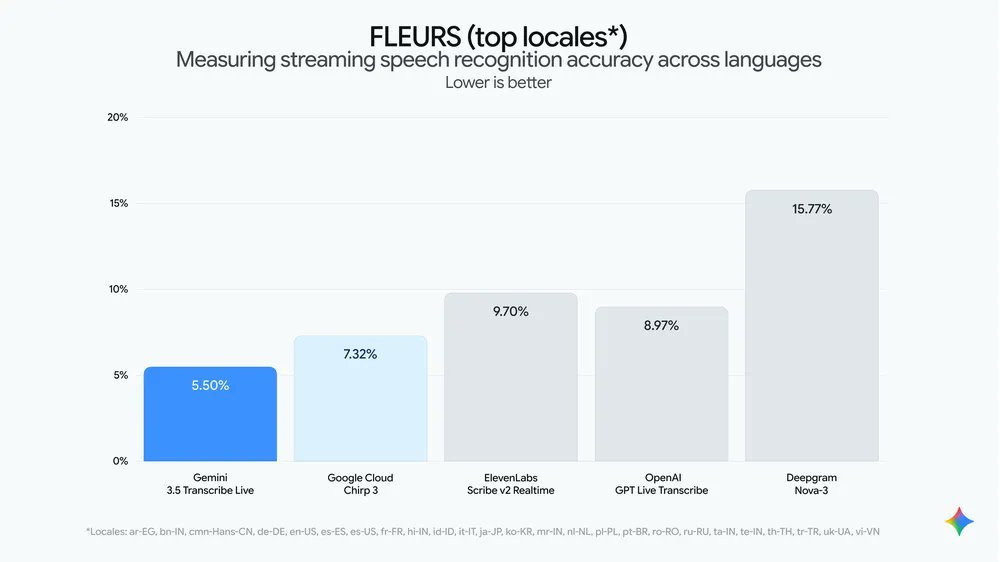
Raw word error rate percentages and leaderboard rankings miss the point entirely of modern speech architecture. Users do not care about dry lab metrics when a voice assistant feels sluggish, robotic, or forces them to repeat sentences.
Real-world latency and natural conversational flow matter far more to everyday users than sterile benchmark scores.
Sub-Second Streaming: The Real Game-Changer
Sub-second streaming transforms human-computer interaction by shrinking response times to under 300 milliseconds. Imagine speaking a complex prompt and hearing a fluid, intelligent reply before you even finish your sentence.
Core Benefits of Low-Latency Voice
- Natural turn-taking: Conversations flow naturally without awkward pauses or robotic processing delays.
- Reduced cognitive load: Users stop waiting on the machine and focus entirely on their thoughts.
- Instantaneous task completion: Complex multi-step commands execute in a fraction of a second.
Conversational speed bridges the gap between human thought and digital execution.
Natural Disfluency Cleanup: Sounding Human Again
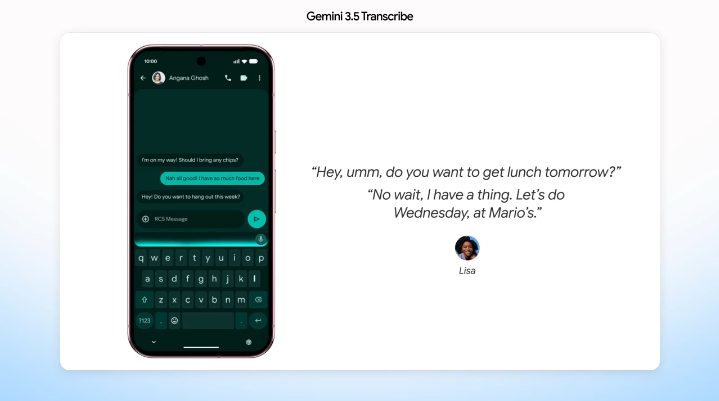
Natural disfluency cleanup automatically strips out filler words, stuttering, and false starts while preserving the core intent of your speech. Instead of raw, messy transcriptions packed with “ums” and “ahs,” Google’s model outputs polished, professional text instantly.
| Traditional Dictation | Google Voice Model |
|---|---|
| “Um, so, can you, like, email Sarah about the meeting?” | “Email Sarah about the meeting.” |
| “Let’s, you know, schedule that for Tuesday.” | “Schedule that for Tuesday.” |
Contextual cleanup turns messy spoken thoughts into pristine written communication effortlessly.
How Voice-First Agents Change Daily Workflows
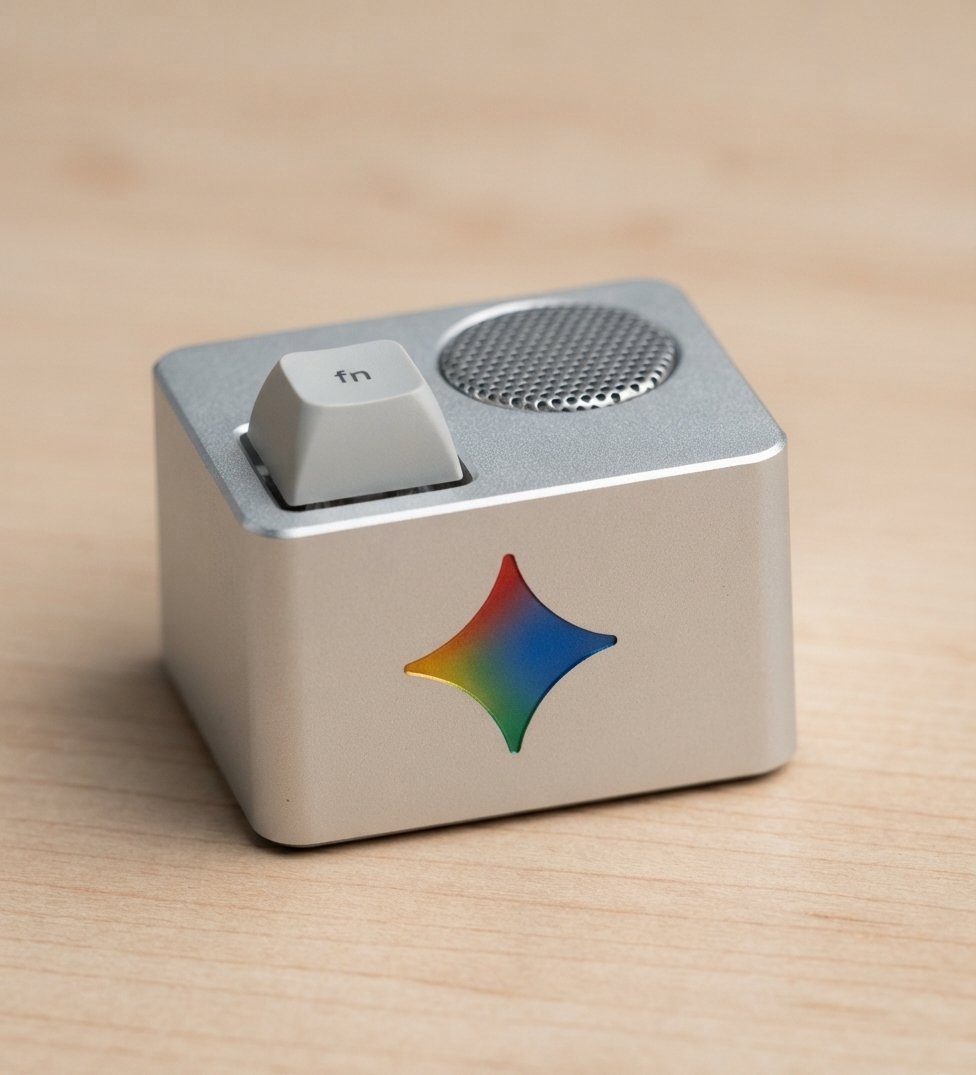
Hands-free email drafting, instant meeting transcriptions, and on-the-fly code prompts are replacing traditional typing in fast-paced environments. Instead of tapping on a cramped virtual keyboard while walking or driving, users simply talk to their devices naturally.
Would you ever give up your physical keyboard entirely for casual messaging, or do you prefer typing for precision tasks? Which daily application would benefit most from instant voice integration?
Productivity surges when voice input removes the physical friction of mobile data entry.
Privacy, Control, and On-Device Processing
Transitioning away from physical keyboards raises valid questions regarding audio data privacy and continuous listening features. Modern deployments utilize hybrid architectures, pairing on-device neural processing for wake-word detection with encrypted cloud inference for complex language tasks.
Essential Privacy Safeguards
- Local inference: Processing basic commands directly on-device without sending audio to the cloud.
- Transient buffers: Erasing voice data immediately after transcription completion.
- Transparent opt-ins: Giving users explicit control over telemetry and voice training permissions.
User trust remains the foundational requirement for any ambient voice interface.
Developer and Product Implications
Product designers must rethink user interfaces to support continuous streaming transcripts and graceful error handling. Instead of static text boxes, modern applications require visual indicators that update dynamically as speech is processed in real-time.
UX Checklist for Voice Apps
- Low-latency visual waveforms
- Real-time partial transcript previews
- Intuitive voice-based undo commands
Barriers to Adoption and What Could Slow the Shift
Despite rapid technological leaps, background noise, regional accent variations, and hardware battery constraints still pose hurdles for universal adoption. Multi-microphone array filtering and robust noise-suppression models are critical mitigations deployed to ensure consistent performance in chaotic public spaces.
What Users Need to Know Now
Exploring voice-first workflows today helps future-proof your daily productivity against upcoming hardware shifts. Enable native low-latency voice models on your smartphone, experiment with hands-free task management, and evaluate how much time you save.
Also Read: How to Remove the Visible Watermark in Google Gemini (and Why Google Changed Its Policy)
The End of the Typing Era: Keyboards as Specialty Tools
Traditional keyboards will not vanish entirely, but they are transitioning from universal input devices into specialized tools for programming and professional document editing. Voice-first interaction is rapidly becoming the default layer for quick inquiries, mobile navigation, and daily communication.
We’re introducing Gemini 3.5 Transcribe, our most precise speech-to-text model yet 🔊
— Google (@Google) August 26, 2026
It turns audio into precise transcription in 85+ languages, removing filler words like “ums” and “ahs” while handling self-corrections and capturing your intent so you can get things done using… pic.twitter.com/4GgHjSd301
Sources
- [1] Google AI Research and Voice Model Announcements – Google AI Blog
- [2] Streaming Speech Recognition Architectural Papers – IEEE Xplore
- [3] W3C Accessibility Guidelines for Voice Input – W3C Web Accessibility Initiative
- [4] Real-World Latency Benchmarks in Conversational AI – MIT Technology Review