
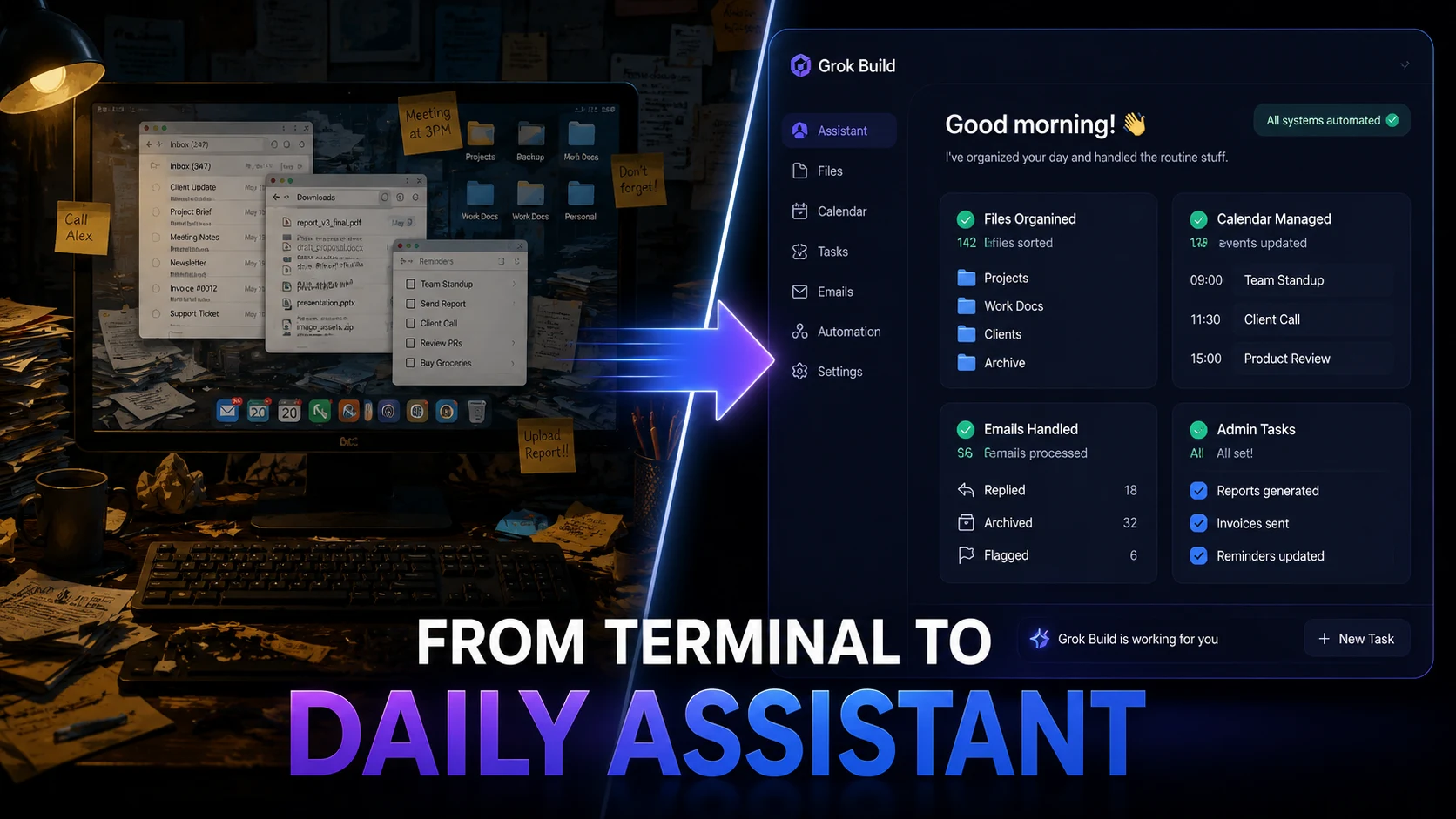
Grok Build is quietly crossing a line that software engineers never saw coming. Knowledge workers lose over 4 hours every single week to repetitive file management and administrative chores, while 68% of enterprise teams report rising adoption of autonomous AI agents.
As terminal-based execution environments bridge the gap toward general-purpose desktop tasks, could plain English prompts finally replace manual script writing for non-coders? This unexpected evolution threatens to transform everyday consumer productivity forever.
What Changed in Grok Build
Originally designed as xAI’s terminal-native coding harness, Grok Build has expanded far beyond simple code generation. By introducing native Model Context Protocol (MCP) integrations, custom skills, and parallel sub-agent execution, the platform now interacts directly with everyday desktop workflows.
- Plain English Execution: Users can command complex file operations using simple spoken-language prompts.
- Parallel Task Delegation: Up to eight specialized sub-agents work simultaneously across local directories.
- Cross-App Connectors: Native read/write access bridges Notion, Google Workspace, and Microsoft 365.
Is this the moment terminal tools become mainstream? The shift removes the technical entry barrier, allowing anyone to execute multi-step administrative workflows without touching traditional command-line scripts.
Why This Matters Beyond Coding
The friction between power-user tools and casual software is dissolving. Historically, executing local automation required writing Python scripts or setting up complex shell shortcuts. Now, terminal agents process unstructured natural language instructions to perform local system maintenance.
| Workflow Capability | Traditional Developer Tools | Grok Build Daily Assistant |
|---|---|---|
| Target Audience | Software Engineers & DevOps | Non-Technical Knowledge Workers |
| Input Method | Complex Code & Terminal Commands | Plain English Natural Language |
| Execution Surface | Code Editor / Repository | Desktop File System & Cloud Connectors |
| Task Delegation | Single-thread command runs | Parallel sub-agents (Up to 8 active) |
By leveraging xAI’s open-source Rust agent harness, non-developers can automate repetitive chores that previously required dedicated software suites. Would you trust an AI agent to manage your files?
How Non-Coders Can Use It
Everyday users can now delegate chaotic admin tasks in seconds. Instead of spending hours organizing downloads or reformatting documents, simple commands handle the heavy lifting.
- Desktop File Organization: Batch-rename hundreds of invoices and sort them into year-based folders.
- Automated Document Summaries: Scan local PDF directories and extract key action items into a clean daily digest.
- Calendar & Email Triage: Connect workspace MCPs to draft routine replies and organize upcoming meeting notes.
- Cross-Platform Syncing: Automatically push local text drafts to Notion pages or Google Docs.
“Reducing workflow friction is often the difference between testing an idea and actually shipping it to production.” — AI Systems Architect
Where It Still Falls Short
Deep automation carries distinct operational risks. Granting an autonomous agent execution privileges over your local file system requires cautious boundaries.
- System Access Control: Unrestricted file edits can lead to accidental overwrites or data loss.
- Privacy & Data Security: Local directory access demands strict opt-out controls for background telemetry.
- Learning Curve: Non-technical users must still feel comfortable launching a terminal window.
Do everyday users actually want automation this deep? For those managing heavy digital workflows, the performance gains outweigh the slight learning curve.
Grok Build can do almost anything you can think ofhttps://t.co/lOJK57wDP5 https://t.co/hrAtAtY3Pp
— Elon Musk (@elonmusk) August 1, 2026
What This Means for the AI Agent Market
The line between coding assistants and productivity apps has officially blurred. As terminal tools adopt intuitive, natural-language controls, traditional desktop utility apps face immediate competition from autonomous agents.
Official Resources & Documentation: • xAI Grok Build Documentation • xAI GitHub Repository • xAI Official Announcements