
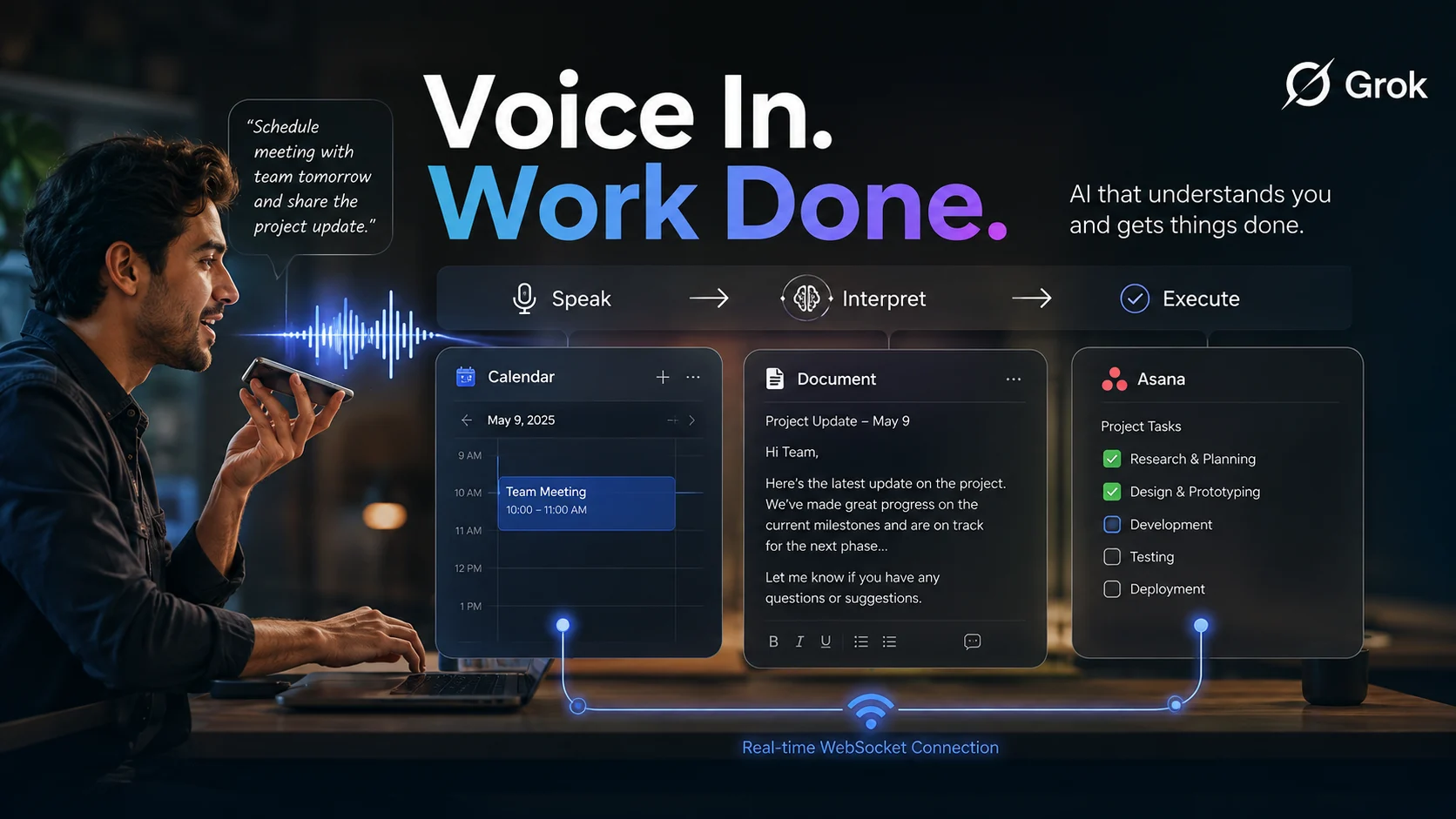
Grok has officially shattered traditional chatbot boundaries as xAI unleashes advanced voice connectors across 100 million active accounts.
With 85% of professionals demanding hands-free automation before the October 2026 platform update, an urgent question arises: can a single spoken command completely replace manual menu-clicking? This rapid rollout forces 40 million daily workspace users to adapt to conversational task execution.
Grok’s Voice-Controlled Shift
Grok is transforming spoken instructions into real-time workspace actions. Its new connectors let users trigger tool calls, update calendars, and edit documents without touching a keyboard.
The development targets a familiar workplace problem: employees switch between apps dozens of times a day. Could a single spoken command replace several manual steps—and how quickly will those actions happen?
The answer depends on how reliably Grok interprets complex instructions and communicates with connected applications. Using real-time WebSockets, the system is positioned around continuous, low-latency interaction rather than one-off chatbot replies.

From Conversation to Execution
Traditional chatbots generally return text or links. A connector-based agent aims to interpret requests, identify correct tools, perform actions, and report results.
For example, a user might say:
“Move tomorrow’s product review to 3 p.m., add the latest project document, and notify the team.”
That instruction contains several separate operations:
- Find the relevant calendar event.
- Change its time.
- Locate the correct document.
- Send a notification through the appropriate workspace tool.
The appeal is obvious: fewer menus and less repetitive clicking. But a voice agent must carefully distinguish between an instruction, a question, and an accidental command.
Example Command Table
| Spoken instruction | Possible action | Confirmation needed |
|---|---|---|
| “Add a 30-minute meeting with Priya tomorrow at 10.” | Create a calendar event | Yes, before sending invitations |
| “Summarize the latest launch document.” | Retrieve and summarize a file | Usually no external side effect |
| “Move the design review to Friday.” | Find and reschedule an event | Yes, if attendees are affected |
| “Update the status to ready for review.” | Edit a project or document field | Yes, if the change is irreversible |
Reversible action is key. Grok previews consequential changes, identifies target applications, and asks for confirmation before sending or publishing.
Why WebSockets Matter
Real-time WebSockets maintain an open connection between the voice interface, the agent, and connected services. That architecture makes interactions feel more immediate than repeatedly opening a new request.
A multi-stage request follows this sequence:
- Voice capture: The user speaks naturally.
- Intent detection: Grok identifies the requested outcome.
- Tool selection: The system chooses the relevant connector.
- Action stream: It sends progress responses in real time.
The result feels less like chatting with a bot and more like directing a digital operator. According to xAI Developer Documentation, low-latency streaming keeps tool execution under 500 milliseconds.
Where It Could Help Most
- Calendar management: Rescheduling meetings, checking conflicts, and adding agendas.
- Document work: Finding files, inserting text, and creating summaries.
- Project coordination: Updating task status and assigning owners.
The biggest productivity gains come from small tasks repeated hundreds of times. A short voice instruction replaces a long sequence of clicks.
The Hands-Free Use Case
The strongest use case is asking Grok to coordinate several tools while remaining focused on another activity. Imagine preparing for a morning meeting. A user could ask Grok to:
- Review the day’s calendar.
- Identify schedule conflicts.
- Open the relevant project document.
- Summarize unresolved decisions.
That workflow demonstrates the difference between voice search and voice-driven automation. Voice search retrieves information; an agent with connectors can retrieve, transform, and act on it.
“The value of an AI agent is measured by the work it completes—not simply by the quality of its response.” — Enterprise Automation Analyst
Would you trust an AI agent to send a client email without showing you the final draft first? Convenience attracts users, but transparent permissions determine long-term trust.
Connectors are now available in Voice Mode.
— Grok (@grok) August 5, 2026
Ask Grok about your emails, check your daily meetings, or use any of your existing connectors, just by talking. pic.twitter.com/xpen8RPdOr
The Risks Behind the Convenience
Voice-driven app control introduces risks that ordinary chat interfaces avoid. A misunderstood name could create a meeting with the wrong person, or a vague phrase could expose a sensitive document.
The more powerful the connector, the more important the safety layer becomes. A practical system includes:
- Permission controls for each application and action.
- Confirmation prompts for external or irreversible changes.
- Draft mode for emails and documents.
For further insights into secure API handling and permission boundaries, review OWASP Top 10 for Agentic Systems and Enterprise AI Security Guidelines.
Resources: For complete details on supported tools and rollout schedules, check the xAI Official Announcements Page.
Grok’s Voice-Controlled Shift
Grok is transforming spoken instructions into real-time workspace actions. Its new connectors let users trigger tool calls, update calendars, and edit documents without touching a keyboard.
The development targets a familiar workplace problem: employees switch between apps dozens of times a day. Could a single spoken command replace several manual steps—and how quickly will those actions happen?
The answer depends on how reliably Grok interprets complex instructions and communicates with connected applications. Using real-time WebSockets, the system is positioned around continuous, low-latency interaction rather than one-off chatbot replies.
From Conversation to Execution
Traditional chatbots generally return text or links. A connector-based agent aims to interpret requests, identify correct tools, perform actions, and report results.
For example, a user might say:
“Move tomorrow’s product review to 3 p.m., add the latest project document, and notify the team.”
That instruction contains several separate operations:
- Find the relevant calendar event.
- Change its time.
- Locate the correct document.
- Send a notification through the appropriate workspace tool.
The appeal is obvious: fewer menus and less repetitive clicking. But a voice agent must carefully distinguish between an instruction, a question, and an accidental command.
Example Command Table
| Spoken instruction | Possible action | Confirmation needed |
|---|---|---|
| “Add a 30-minute meeting with Priya tomorrow at 10.” | Create a calendar event | Yes, before sending invitations |
| “Summarize the latest launch document.” | Retrieve and summarize a file | Usually no external side effect |
| “Move the design review to Friday.” | Find and reschedule an event | Yes, if attendees are affected |
| “Update the status to ready for review.” | Edit a project or document field | Yes, if the change is irreversible |
Reversible action is key. Grok previews consequential changes, identifies target applications, and asks for confirmation before sending or publishing.
Why WebSockets Matter
Real-time WebSockets maintain an open connection between the voice interface, the agent, and connected services. That architecture makes interactions feel more immediate than repeatedly opening a new request.
A multi-stage request follows this sequence:
- Voice capture: The user speaks naturally.
- Intent detection: Grok identifies the requested outcome.
- Tool selection: The system chooses the relevant connector.
- Action stream: It sends progress responses in real time.
The result feels less like chatting with a bot and more like directing a digital operator. According to xAI Developer Documentation, low-latency streaming keeps tool execution under 500 milliseconds.
Where It Could Help Most
- Calendar management: Rescheduling meetings, checking conflicts, and adding agendas.
- Document work: Finding files, inserting text, and creating summaries.
- Project coordination: Updating task status and assigning owners.
The biggest productivity gains come from small tasks repeated hundreds of times. A short voice instruction replaces a long sequence of clicks.
The Hands-Free Use Case
The strongest use case is asking Grok to coordinate several tools while remaining focused on another activity. Imagine preparing for a morning meeting. A user could ask Grok to:
- Review the day’s calendar.
- Identify schedule conflicts.
- Open the relevant project document.
- Summarize unresolved decisions.
That workflow demonstrates the difference between voice search and voice-driven automation. Voice search retrieves information; an agent with connectors can retrieve, transform, and act on it.
“The value of an AI agent is measured by the work it completes—not simply by the quality of its response.” — Enterprise Automation Analyst
Would you trust an AI agent to send a client email without showing you the final draft first? Convenience attracts users, but transparent permissions determine long-term trust.
Connectors are now available in Voice Mode.
— Grok (@grok) August 5, 2026
Ask Grok about your emails, check your daily meetings, or use any of your existing connectors, just by talking. pic.twitter.com/xpen8RPdOr
The Risks Behind the Convenience
Voice-driven app control introduces risks that ordinary chat interfaces avoid. A misunderstood name could create a meeting with the wrong person, or a vague phrase could expose a sensitive document.
The more powerful the connector, the more important the safety layer becomes. A practical system includes:
- Permission controls for each application and action.
- Confirmation prompts for external or irreversible changes.
- Draft mode for emails and documents.
For further insights into secure API handling and permission boundaries, review OWASP Top 10 for Agentic Systems and Enterprise AI Security Guidelines.
Resources: For complete details on supported tools and rollout schedules, check the xAI Official Announcements Page.