
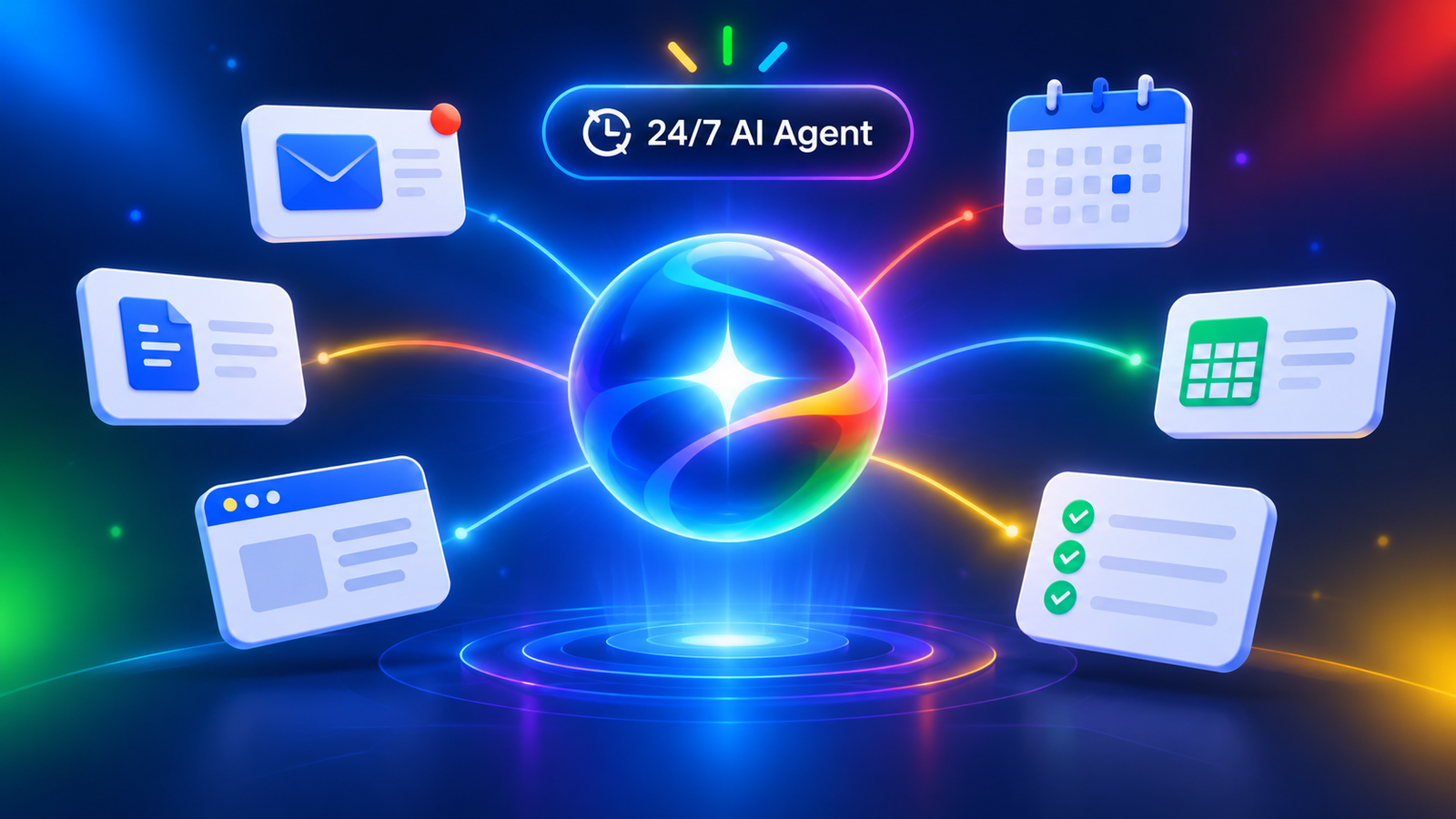
Most AI tools wait for you to ask a question. Gemini Spark is built to take a job off your plate instead. Google calls it a 24/7 personal AI agent inside the Gemini app, and it’s getting attention because it can keep working while your laptop is shut and your phone is locked.
This guide covers what Spark is, how it works, what it can and can’t do, and who it makes sense for. I’ve tried to keep what Google has documented separate from the bigger promises people make about AI agents.
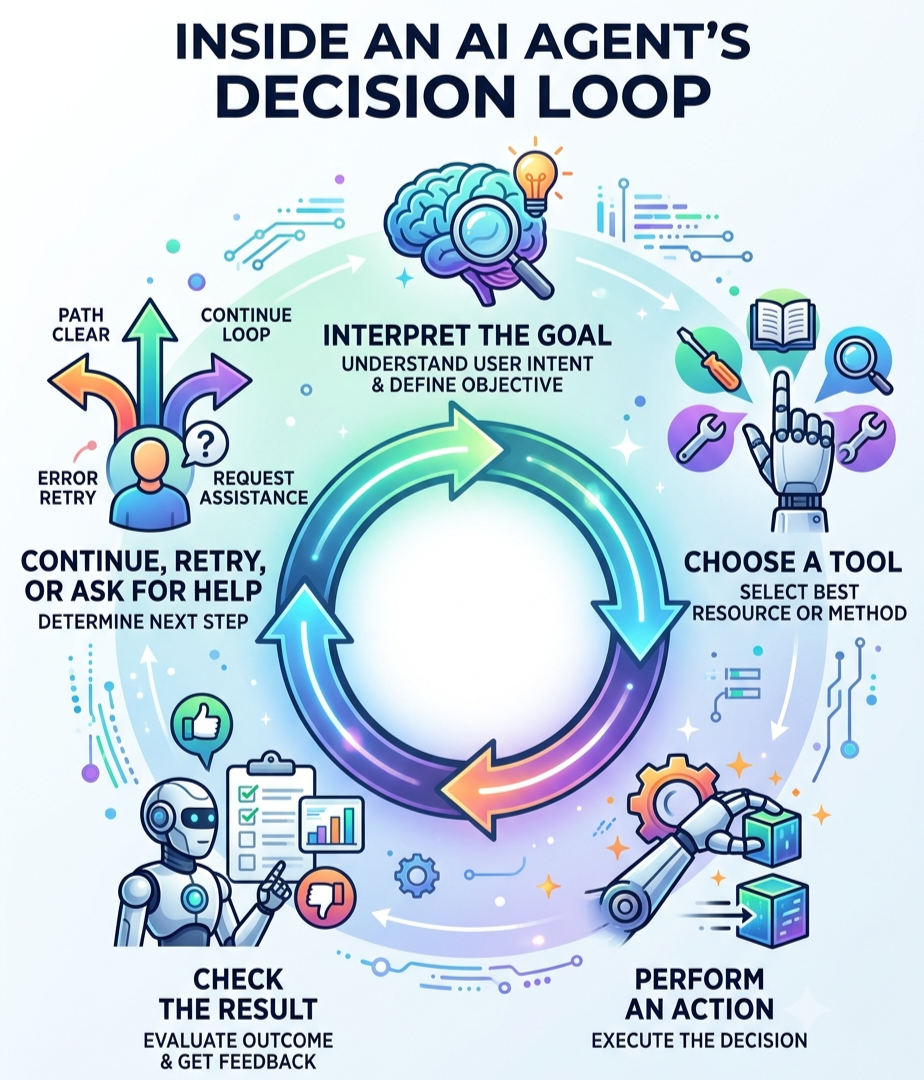
The short version of agent vs. chatbot: a chatbot answers a prompt. An agent gets a goal, plans the steps, uses tools, checks its progress, and asks for your approval when something matters.
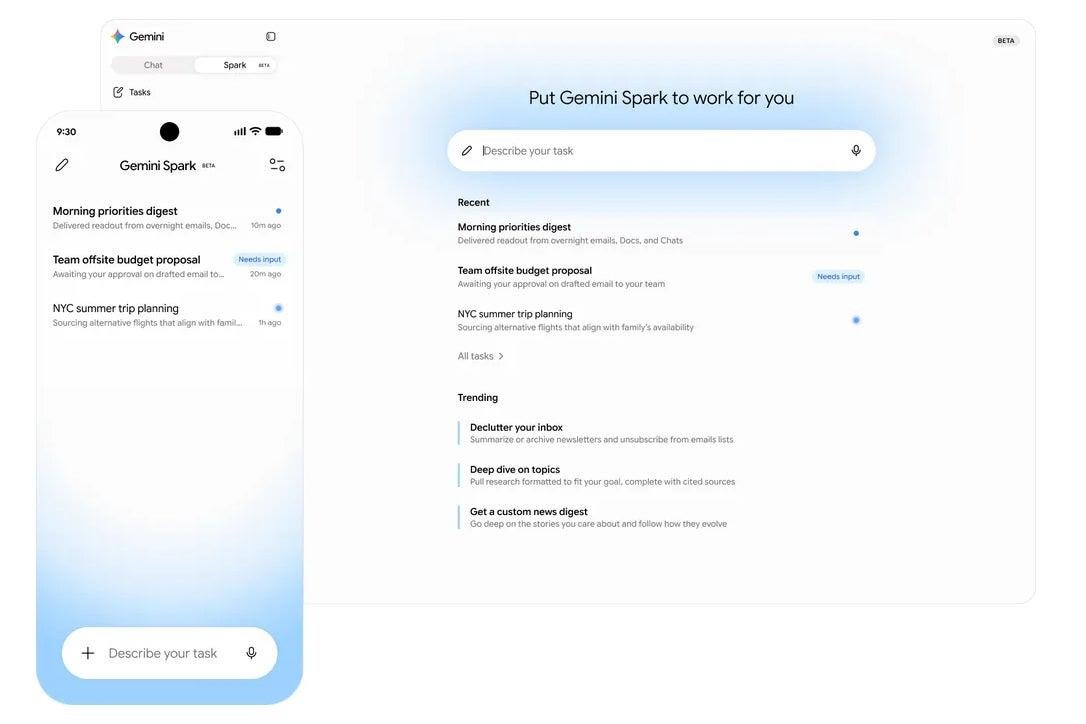
What Is Gemini Spark?
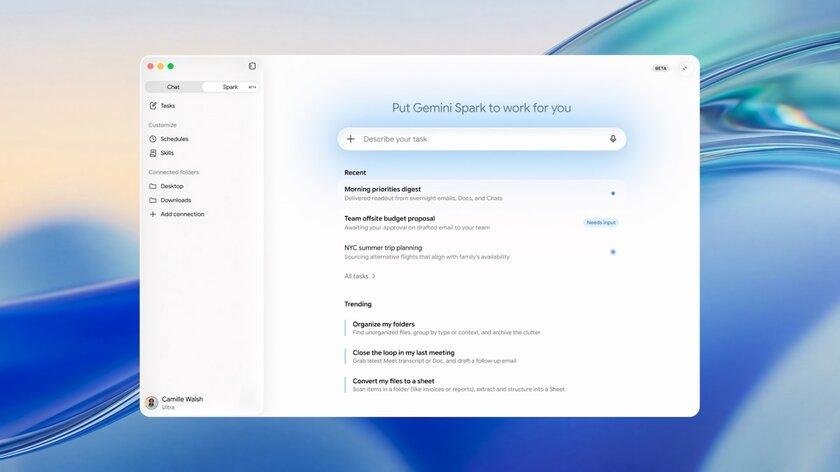
Spark is a personal agent that lives inside Gemini Apps. You tell it what you want done, like cleaning up your inbox, keeping an eye on a topic, or putting together a document, and it works through apps, files, web access, and saved instructions you’ve allowed it to use.
The aim is to cut down repetitive digital chores: sorting email, building docs and spreadsheets, tracking recurring information, juggling calendars, and handling web errands. Google pitches it as an “active partner” rather than a reactive assistant.
It’s tied closely to Google Workspace: Gmail, Calendar, Docs, Sheets, Slides, Drive, Keep, and Tasks. It’s also not a separate product. Think of it as an agent mode within Gemini, showing up in the web and mobile apps and, in some releases, the macOS app.
How Does It Work?
Under the hood, Spark runs on Gemini models plus an agent harness. At launch, Google said it used Gemini 3.5 with the Antigravity harness, and later announcements for India and Canada mentioned Gemini 3.6 Flash. So the model underneath isn’t fixed and will likely keep changing.
When you give Spark a goal, it works out what you’re after and which sources and tools it needs. Those can include connected apps, skills, past chats, websites you’re signed into, Personal Intelligence, and location.
Then it breaks the job into steps. Take “organize my wedding RSVPs.” That might mean searching Gmail, pulling out dietary restrictions, building a table in Sheets, and drafting an email for you to review. Google uses this exact kind of workflow as an example.
To get things done, it can use connected apps, a remote browser, and a remote computer that can run code. In Workspace, that covers searching and summarizing email, drafting replies, managing calendar events, creating or editing Docs, building Sheets, generating Slides, organizing Drive files, and handling Keep notes and Tasks.
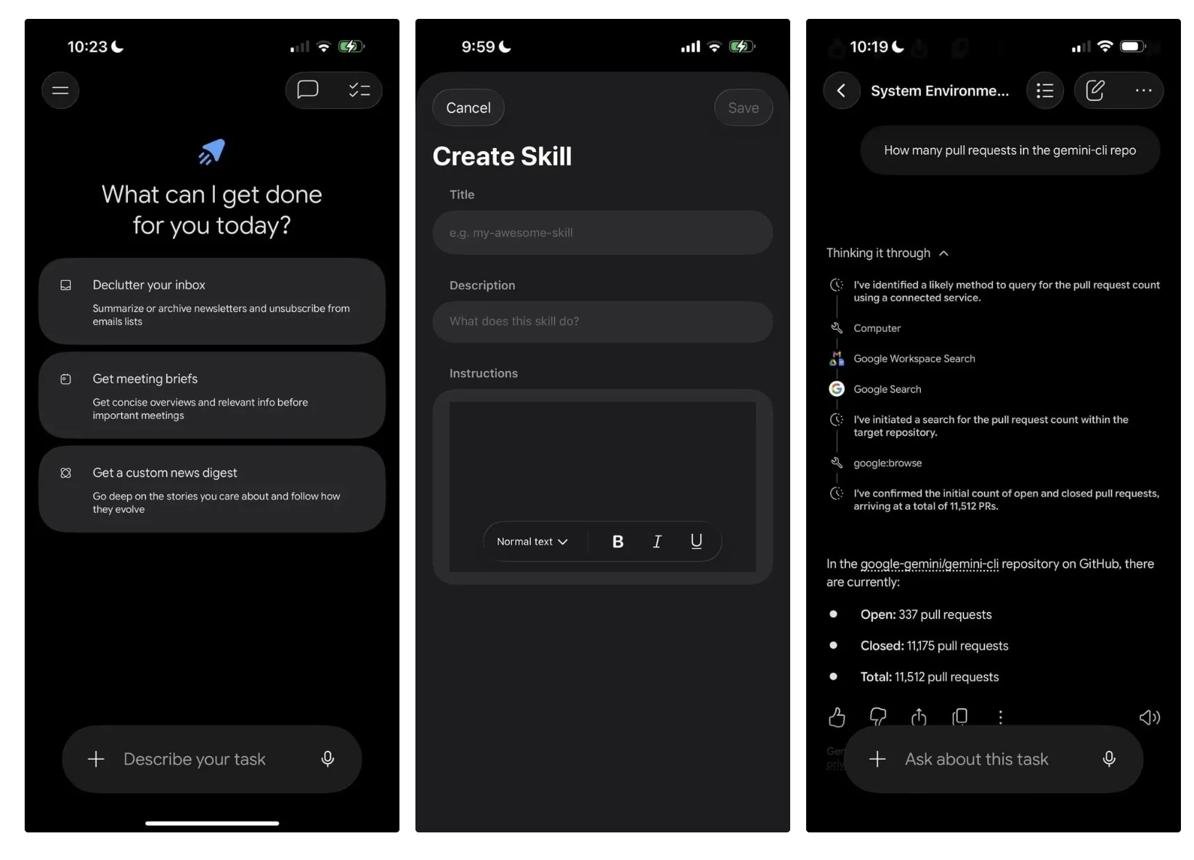
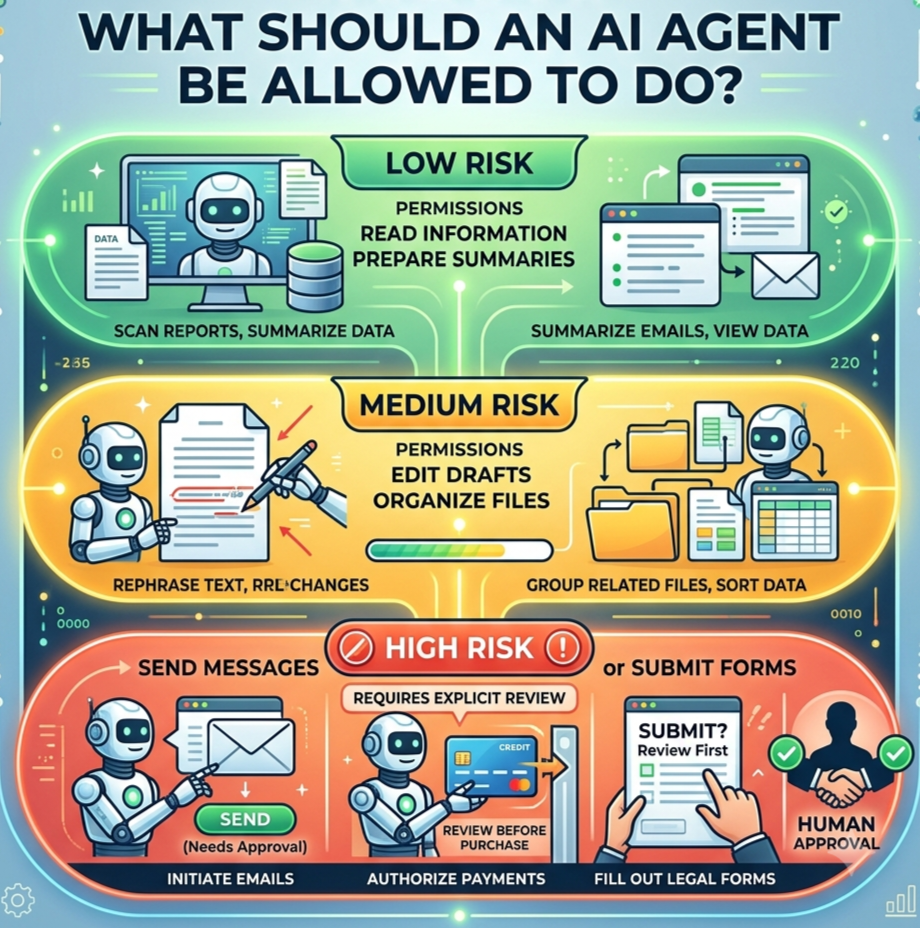
You can watch it work. A task panel shows the plan, completed and upcoming steps, and which files it read or changed. If something sensitive comes up, Spark can pause for your confirmation or ask you to take over the browser, then carry on once you’ve given it what it needs.
Key Features
Multi-step task execution: The basic unit is a task: a broad goal like planning a business trip or compiling a research digest. Spark runs the whole sequence instead of stopping at one text reply.
Context awareness: It draws on whatever you let it see: Workspace data, uploaded or Drive files, chat history, Personal Intelligence, location, and sites it visits while signed in. That means it works from your actual material, not just your prompt.
Connected apps: Documented integrations include the Workspace apps above and custom connected apps. Google has also announced MCP connections to services like Canva, OpenTable, and Instacart, though availability depends on rollout and permissions. For Gemini Enterprise, Google says Spark can use connectors such as Microsoft SharePoint, OneDrive, and ServiceNow, running in a managed Google Cloud environment with isolated task execution and an Agent Gateway.
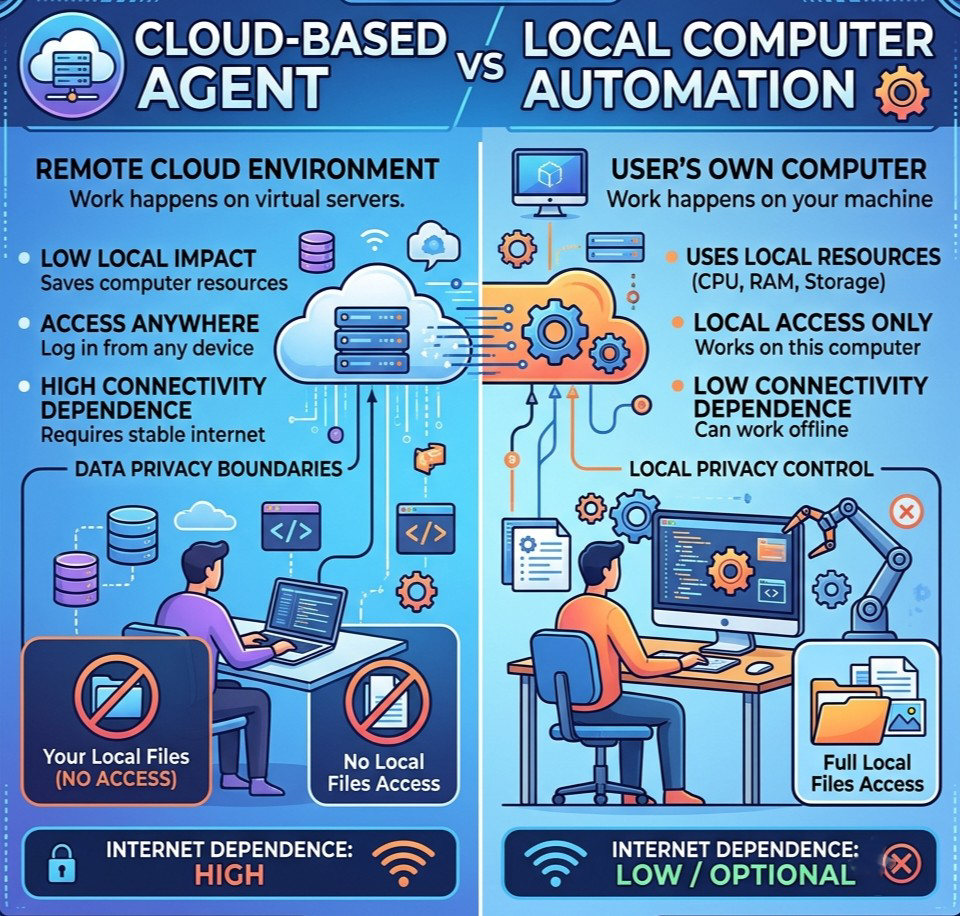
Background processing: Because it runs in the cloud, Spark keeps going after you close your laptop or lock your phone. You can also set schedules that run at a certain time, repeat, or trigger on an event, like a flight-delay notification.
Oversight and control: You can follow progress, review steps, inspect files it touched, pause or resume schedules, give new instructions, stop a response, or take over its browser. Google says Spark is designed to ask before high-stakes actions like sending messages, changing data, making purchases, or submitting web forms.
Skills: These are reusable instructions and context that teach Spark how to do a particular activity and which tools to use. You can apply one yourself or let Spark pick a relevant enabled skill. In enterprise settings, Google also describes Spark learning preferences over time.
What Can It Do?
Here’s how that looks in practice, grouped by outcome. Where I can, I note whether something is a documented example or a more hopeful use case.
Research and information gathering. Google’s help documentation lists custom news digests, following developing stories, and cited research shaped around your goal. Asking Spark to scan AI news each morning and send you a brief is squarely in that territory.
Everyday productivity. Documented examples include summarizing or archiving newsletters, unsubscribing from mailing lists, labeling Gmail, drafting replies, managing calendar invites, and creating notes or reminders. Google’s other examples, like auditing monthly invoices for subscription price hikes or pulling school deadlines into a digest, are official prompt ideas. They show intended workflows, not a promise it’ll work for every account.
Documents and data. Spark can search Drive, read files and metadata, create or edit Docs, build and format Sheets with tables and formulas, generate Slides, and rename or delete files. A workflow Google describes: turning meeting notes from email and chats into a clean Doc, plus a kickoff email to go with it.
Planning and coordination. It can check availability, suggest meeting times, reschedule, and update locations. For travel, it can add booking details from Gmail to a trip Sheet or suggest itinerary changes when a flight is delayed. Bigger web errands, like researching apartments, comparing flights, or starting a booking while logged in, are things Google describes as possible with your permission. Whether they work well depends on the website, the complexity, and the approvals involved. I’d treat those as more hit-or-miss.
Spark vs. a Traditional Chatbot
| Dimension | Traditional AI Chatbot | Gemini Spark |
|---|---|---|
| Core interaction | Answers a prompt or question | Pursues a user-defined goal or task |
| Output | Usually text, media, or code in one response | Can produce documents, spreadsheets, emails, calendar changes, and other completed work |
| Execution | Generally single-turn unless the user continues | Can plan and execute multiple steps across tools |
| Tools | May search or generate content, depending on the product | Can use Workspace apps, remote browser, remote computer/code execution, files, skills, and schedules |
| User involvement | User prompts and reviews each response | User sets the goal, grants permissions, monitors progress, and approves sensitive actions |
| Outcome reporting | Response is usually the deliverable | Shows progress, steps, and files used or changed, and may request intervention |
These are general differences. Plenty of chatbots now have tools and can do some of this, and what Spark can actually do depends on your integrations, subscription, region, and permissions.
What Makes Spark Different?
Google frames Spark as moving Gemini “from information to action.” What stands out is the combination: always-on background work, recurring schedules, reusable Skills, and native Workspace integration.
For everyday people, that mostly means handing off repetitive chores like email cleanup, research briefs, itinerary updates, and document prep, while keeping the final say on anything consequential.
To be fair, browsing, tool use, and multi-step automation are becoming standard across AI agents. What sets Spark apart right now is how deeply it plugs into Workspace, its task, schedule, and skill model, and the fact that it runs in Google’s cloud.
Current Limitations
Product-specific:
- Google warns that Gemini can make mistakes and advises against scheduling sensitive tasks without supervision.
- Spark depends on connected apps and permissions. Workspace data is only reachable if Workspace is connected, and custom or MCP-based services work only when available and authorized.
- There are usage limits based on compute, and a cap of 15 tasks running at once. A schedule won’t run if you’ve hit that cap.
- Availability varies. Google’s help page has described Spark as English-only, 18+, tied to a personal Google Account and eligible subscription, and unavailable in some regions. Details differ between announcements.
General to agentic AI:
- Complex or ambiguous goals can fail or need clarification, especially with incomplete information, unfamiliar websites, or lots of apps involved.
- Prompt injection is a real risk. Hidden instructions in emails, sites, or documents can mislead an agent. This risk, known as indirect prompt injection, becomes particularly important when an AI agent reads untrusted webpages or emails and can take actions using connected tools. Google says its safeguards don’t eliminate privacy, security, or unintended-action risks.
Who Is It For?
- Individuals: People with busy inboxes, trips to plan, school updates to track, or subscriptions to keep tabs on.
- Professionals: Knowledge workers who spend time on research summaries, meeting notes, docs and spreadsheets, inbox triage, and draft communications.
- Teams and organizations: Google positions Spark in Gemini Enterprise as an agent that works across Workspace, custom connectors, and the web, with isolated execution, DLP policies, and approval requirements. Possible uses include incident documentation, stakeholder updates, and recurring monitoring, but any organization should check data governance, permissions, and security before rolling it out. Organizations evaluating autonomous tools should also consider practical safeguards such as least-privilege access, protected API credentials, isolated execution environments, and monitoring, as explained in this AI-agent security guide for website owners.
- Who might not need it: If you mostly ask one-off questions, brainstorm, or want a short draft, a regular chatbot is plenty. Predictable, rule-based workflows may be better served by simple automation. And if you’re dealing with sensitive financial, legal, medical, or confidential material, be extra careful and supervise closely.
The Future of Spark and AI Agents
The bigger shift is from AI that talks to AI that acts: understanding a goal, using tools, working across services, and reporting back. Spark is one visible example.
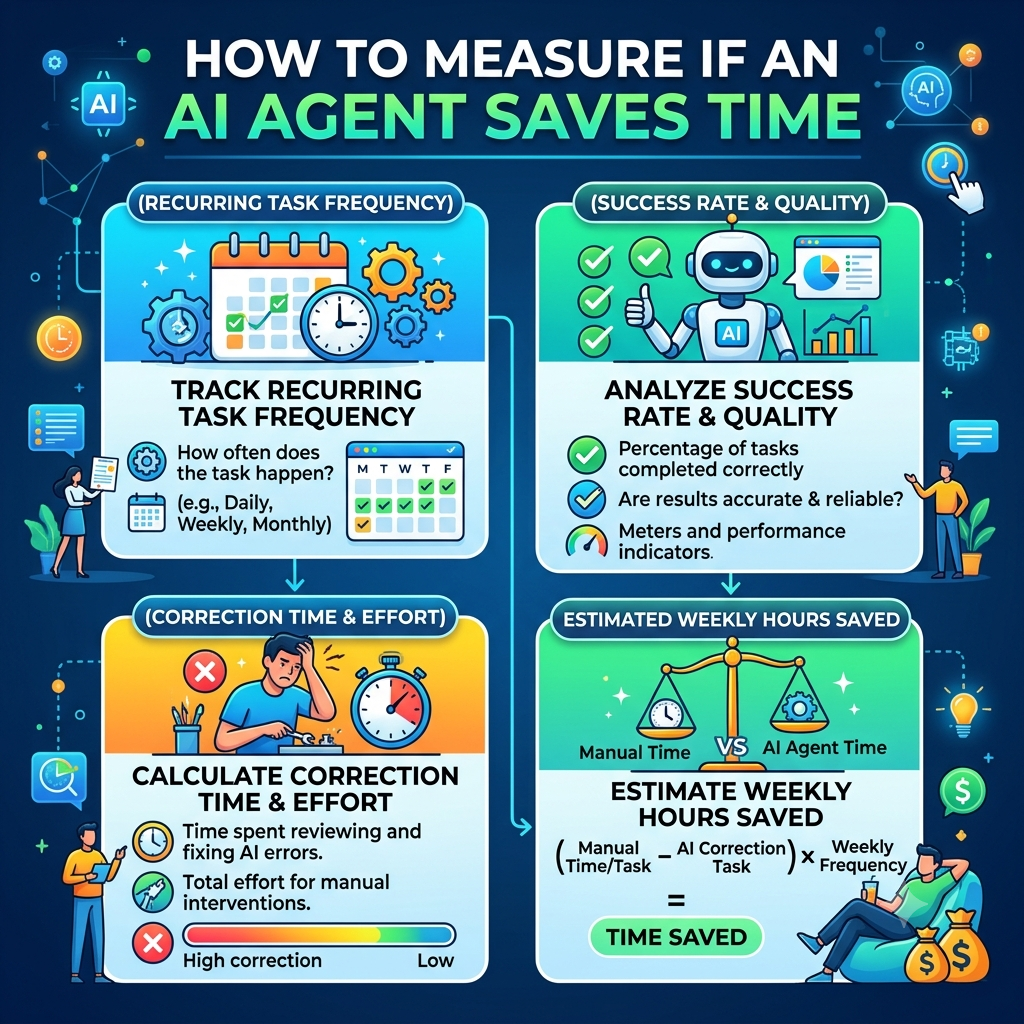
If agents get more reliable, they could shrink the pile of routine digital work, like email triage, research, scheduling, and web errands, and free up time for work that needs judgment.
Still, keep what exists now separate from what’s planned. Google has announced things like wider MCP connections, texting or emailing Spark, custom sub-agents, local-browser operation, and Mac-based local-file workflows. Treat those as rollout-dependent, not something everyone has today.
Gemini Spark is Google’s attempt to turn goals into finished digital work. Its biggest strengths are multi-step tasks, background schedules, reusable Skills, and tight Workspace integration. Its limits matter just as much: it needs permissions and eligible access, it makes mistakes, it needs supervision, it has usage caps, and it carries the privacy and security risks that come with any agent.
The fair takeaway is that Spark works best as a supervised helper for repetitive, well-defined jobs, not a replacement for your judgment. Give it clear goals, sensible permissions, and a close eye on anything that really counts.
Note: This guide is based on Google’s official documentation and product announcements. Features, integrations, and availability may vary by region, subscription, and rollout status. Examples of possible workflows should not be treated as guaranteed results, and actual performance may vary. Always check Google’s latest documentation before relying on Spark for important tasks.