

For website owners, this creates a slightly different security challenge. It is no longer enough to ask, “Is this a human or a bot?” You also need to understand what an automated agent is doing, what it can access, and whether its activity looks suspicious.
The good news is that you do not need to completely rebuild your website to prepare for AI-agent-related threats.
A strong security foundation still matters most: secure administrator accounts, least-privilege permissions, restricted APIs, protected secrets, traffic monitoring, rate limiting, audit logs, isolated environments, and human approval for sensitive actions.
Think of your website like an office building.
You want legitimate visitors to enter easily, but you do not want someone arriving with a robot that can open every door, access every room, and change the building’s security system.
This guide explains how website owners can protect against AI agent attacks and strengthen website security for the AI era.
How to Identify AI-Agent-Related Suspicious Activity
One of the biggest challenges is knowing when automated activity has crossed the line from normal traffic to suspicious behavior.
You should not automatically treat every AI agent or automated request as malicious. Instead, look for unusual patterns.
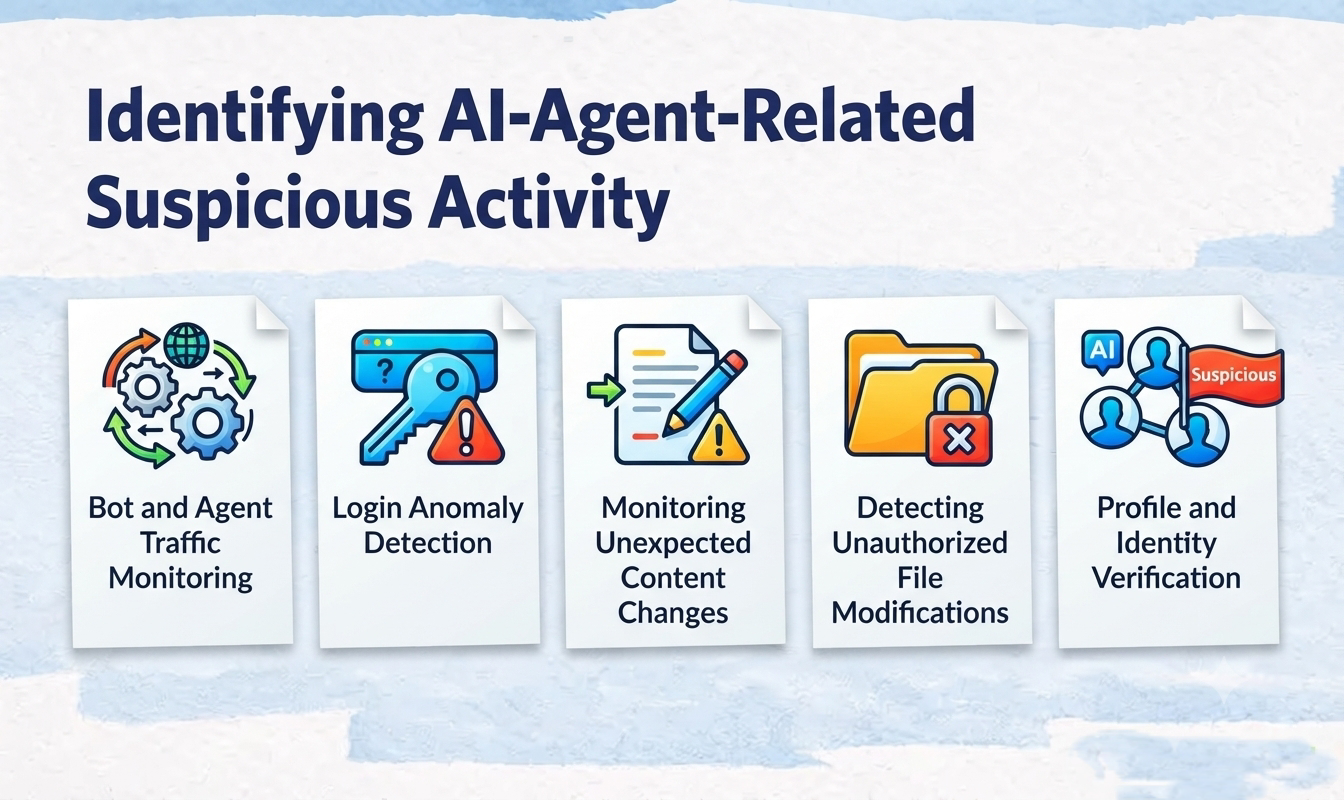
For example, a normal visitor might browse several pages during a session. Suspicious automation might repeatedly request pages at unusually high speeds, repeatedly attempt logins, interact with administrative functions, or make changes that do not match normal website activity.
The key is to monitor behavior rather than relying on a single signal.
Bot and Agent Traffic Monitoring
Start by understanding what automated traffic is reaching your website.
Your CDN, web server, analytics platform, and web application firewall can provide useful information about:
- Request volume
- IP addresses
- Request frequency
- User-agent information
- Frequently requested URLs
- Failed requests
- HTTP response codes
- Login-related requests
- API traffic
- Traffic spikes
- Unusual browsing patterns
A sudden increase in automated requests does not automatically mean an attack. However, it deserves attention when the traffic is concentrated on sensitive areas such as login pages, APIs, administrator panels, or forms.
A useful way to think about it is:
Normal automation follows a predictable pattern. Suspicious automation often behaves like someone repeatedly testing doors to see which one opens.
Login Anomaly Detection
Administrator login activity deserves particular attention.
Watch for patterns such as:
- Multiple failed login attempts
- Repeated login attempts against different accounts
- Successful login following numerous failures
- Administrator logins from unusual locations
- Unexpected devices or browsers
- Login activity at unusual times
- Multiple accounts being accessed in a short period
- Sudden administrator activity after an unusual login
Login anomaly detection becomes particularly valuable when combined with other signals.
For example, a single failed login may mean nothing.
But consider this sequence:
- Numerous failed administrator logins occur.
- A login eventually succeeds.
- A new administrator account appears.
- Website content changes shortly afterward.
Together, those events deserve immediate investigation.
Monitoring Unexpected Content Changes
Website owners should monitor changes to important website content and settings.
Look for:
- Unexpected page edits
- New posts or pages
- Deleted content
- Changes to administrator settings
- Unexpected new user accounts
- Changes to user permissions
- Unexpected plugin or theme changes
- Other modifications that were not authorized
This is especially important for content management systems because an attacker with sufficient permissions may not need to attack the server directly.
They could simply use the CMS itself.
Audit trails, version history, and change monitoring can help you determine what changed and when.
Detecting Unauthorized File Modifications
Website files should also be monitored for unexpected changes.
Depending on your setup, important files may include:
- CMS configuration files
- Server configuration files
- Theme files
- Plugin directories
- Uploaded files
- Authentication-related files
- Other files that control website behavior
For example, on a WordPress website, changes to files such as wp-config.php, .htaccess, themes, or plugins deserve attention when they were not intentionally made.
File integrity monitoring can help identify unexpected modifications.
Protecting CMS Administrator Accounts
Your CMS administrator account is effectively a master key to your website.
If an attacker gains control of it, many other security controls may become much less useful.
That is why protecting administrator accounts should be one of your first priorities.
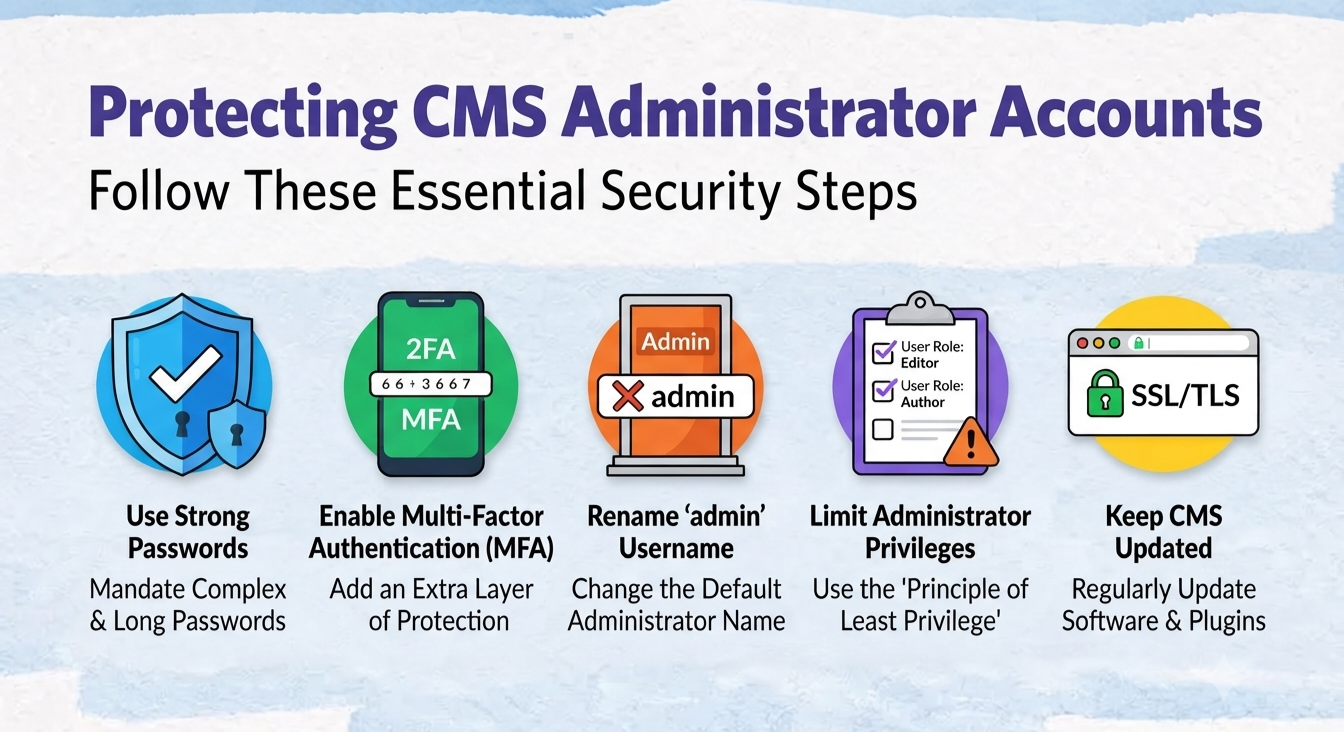
Strong Authentication and Passkeys/MFA
Use strong authentication for administrator accounts.
Where supported, consider phishing-resistant authentication methods such as:
- Passkeys
- FIDO2 security keys
- WebAuthn
- Strong multi-factor authentication
The basic idea is simple:
A password should not be the only thing standing between an attacker and your administrator panel.
MFA adds another layer of protection if a password is stolen.
Passkeys can provide an even stronger authentication experience because they are designed around cryptographic credentials rather than traditional passwords.
For CMS administrator accounts:
- Enable MFA wherever available.
- Use strong, unique passwords.
- Prefer phishing-resistant authentication where supported.
- Remove unnecessary administrator accounts.
- Review administrator access regularly.
Least-Privilege Permissions
Not every person or system needs full administrator access.
This is where the principle of least privilege becomes important.
Give each account only the permissions required to perform its job.
For example:
| User/System | Appropriate Access |
|---|---|
| Content writer | Create and edit assigned content |
| Editor | Manage and publish content |
| Developer | Development-related access |
| Administrator | Full administrative functions |
| Automated integration | Only the API permissions it actually needs |
Imagine giving someone a key to your house.
You would not give them a key that opens every room if they only need to access the front door.
The same principle applies to websites.
Reducing unnecessary privileges limits the potential damage if an account or automated system is compromised.
Limiting API Access and Protecting Secrets
APIs allow websites and applications to communicate with other systems.
They are also valuable targets because an API credential may provide direct access to important functionality.
Limiting API Access
Avoid giving an API token more permissions than necessary.
For example, if an integration only needs to read website content, it should not automatically receive permission to:
- Modify content
- Create administrator accounts
- Change permissions
- Delete data
- Access unrelated systems
Use narrowly scoped permissions whenever your platform supports them.
A useful principle is:
One integration → one purpose → minimum necessary access.
Review API credentials regularly and remove credentials that are no longer required.
Also pay attention to authentication and authorization controls around APIs rather than treating an API key alone as sufficient protection.
Protecting API Keys and Secrets
API keys, access tokens, passwords, and other secrets should be treated like physical keys.
Do not casually place them in:
- Public source code
- Public repositories
- Client-side code
- Blog posts
- Documentation that anyone can access
- Unprotected configuration files
Where appropriate, use environment variables or dedicated secrets-management systems.
Keep production secrets separate from testing credentials.
For example:
| Environment | Credentials |
|---|---|
| Testing | Testing API credentials |
| Staging | Staging credentials |
| Production | Production credentials |
This separation helps prevent a compromise in one environment from automatically exposing another.
Also establish a process for rotating credentials when they are exposed or suspected of being compromised.
Restricting Automated Browser Access
AI-powered browsers and agents can interact with websites in ways that look much more like human activity than traditional bots.
They may navigate pages, fill out forms, interact with buttons, and use authenticated sessions.
That makes access control particularly important for sensitive systems.
Why Automated Browser Access Matters
An automated browser with access to an authenticated account may be able to perform actions available to that account.
That means the risk is not simply “the AI can browse my website.”
The more important question is: What can the AI agent do after it gets access?
Restricting Automated Browser Access
Where automated browser access is permitted, consider controlling:
- Which domains the agent can access
- Which accounts it can use
- Which sessions it can access
- Which actions it can perform
- Whether extensions are available
- Whether sensitive actions require confirmation
Use dedicated browser profiles for automated activity where appropriate.
Avoid giving an automated browser unnecessary access to sensitive authenticated sessions.
For high-risk actions, requiring a human confirmation can provide an important safety barrier.
Web Application Firewall Considerations
A web application firewall, or WAF, can provide an additional layer between incoming traffic and your website.
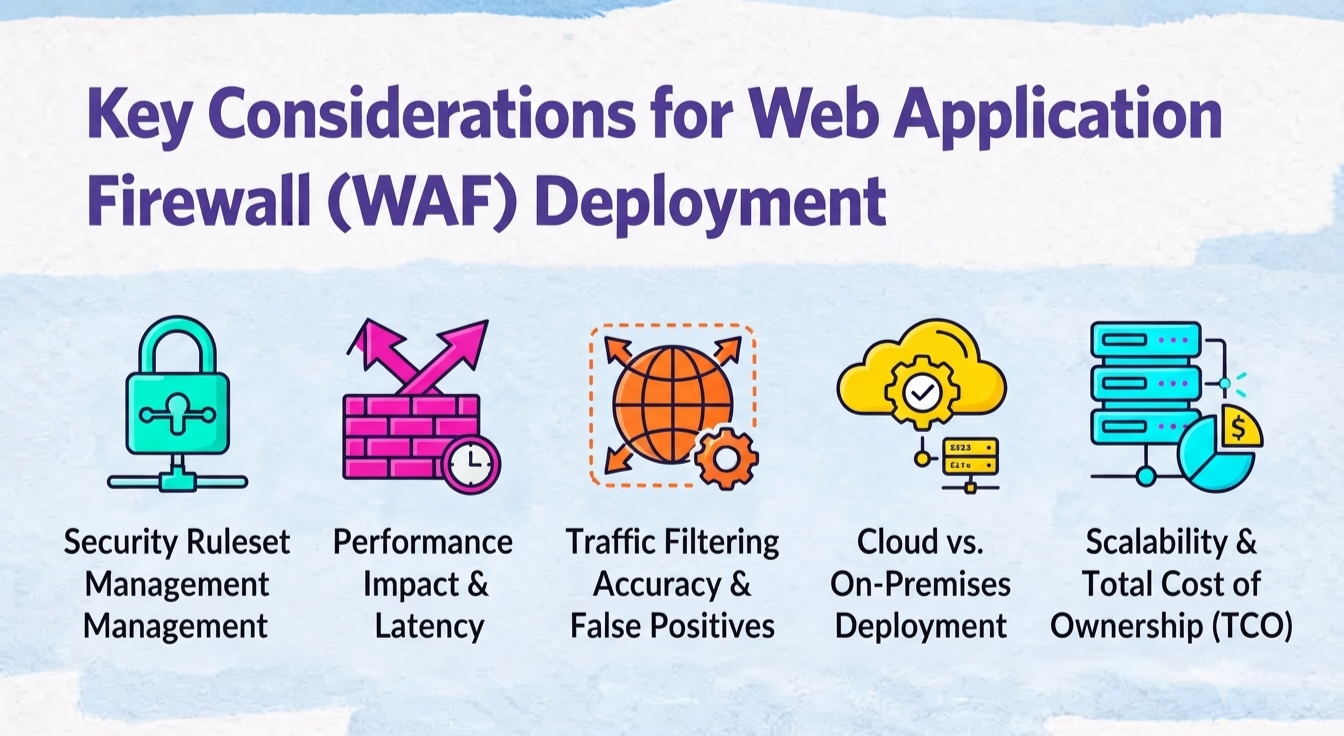
It can help website owners inspect, challenge, limit, or block certain types of traffic.
Bot Control Rules
AI agents may identify themselves through user-agent strings, but user-agent information should not automatically be treated as proof of identity.
A request claiming to come from a particular AI service should not necessarily be trusted simply because its user-agent says so.
Your WAF and traffic controls can be used to:
- Monitor automated traffic
- Challenge suspicious requests
- Apply rules to unusual traffic
- Control access to sensitive endpoints
- Limit excessive requests
- Distinguish trusted automation from suspicious activity where possible
The goal should not necessarily be “block every bot.”
Search crawlers, monitoring systems, accessibility tools, and legitimate automation can all have legitimate reasons to access websites.
Instead, focus on controlling what automated traffic can do.
Rate Limiting
Rate limiting controls how many requests a client can make within a particular period.
It is one of the simplest ways to prevent automated systems from making unlimited requests.
For example, you might apply different controls to:
- Login endpoints
- API endpoints
- Search functionality
- Forms
- Administrative endpoints
- Other sensitive areas
The appropriate limit depends on your website and traffic patterns.
There is no universal number that works for every website.
Too much restriction can block legitimate users, while too little restriction may provide limited protection.
Monitor your rate-limit responses and adjust the rules based on real traffic.
Audit Logs and Continuous Monitoring
Security controls can prevent some attacks, but monitoring helps you understand what actually happened.
Audit logs provide a record of important events.
What to Log
Where possible, maintain records of:
- Administrator logins
- Failed authentication attempts
- Content changes
- User creation
- Permission changes
- API activity
- File modifications
- Uploads
- Plugin or theme changes
- Other sensitive administrative actions
The exact events available will depend on your CMS, hosting environment, applications, and security tools.
How to Use Audit Logs
Simply collecting logs is not enough.
You should also know what deserves attention.
For example:
Unusual login → successful authentication → permission change → content modification
That sequence is much more meaningful than any individual event by itself.
Set alerts for high-risk actions where possible.
Regularly review important logs and investigate activity that does not match expected behavior.
Protecting Third-Party Integrations
Modern websites rarely operate completely on their own.
They may connect to:
- Payment services
- Analytics platforms
- Email providers
- Marketing systems
- Cloud services
- Social platforms
- Automation platforms
- Other third-party applications
Every integration creates another relationship that needs to be managed.
Why Third-Party Integrations Matter
An integration may have access to your website, API, data, or administrative functions.
If that integration is compromised, excessive permissions can increase the potential impact.
How to Secure Third-Party Integrations
Regularly review connected services.
Ask:
- Does this integration still need access?
- What permissions does it have?
- Which credentials does it use?
- Can its permissions be reduced?
- Is the integration still required?
Remove unused integrations.
Use scoped credentials wherever possible.
Monitor important integration activity and investigate unexpected API requests or administrative actions.
Separating Production and Testing Environments
Your testing environment should not automatically have unrestricted access to production.
Production is where your real website and important data live.
Testing is where changes are evaluated.
Keeping them separate reduces the impact of a problem in one environment.
Why Separation Matters
Imagine testing a new automated system in a model house.
You would not want that experiment to have the keys to your actual house.
The same idea applies to websites.
A compromised testing environment should not automatically provide access to production credentials, databases, or administrative systems.
How to Implement Separation
Where possible:
- Keep production and testing environments separate.
- Use different credentials.
- Do not reuse production API keys in testing.
- Do not reuse production administrator passwords.
- Restrict unnecessary communication between environments.
- Keep sensitive production systems inaccessible from testing systems unless required.
Sandboxing Agent-Accessible Systems
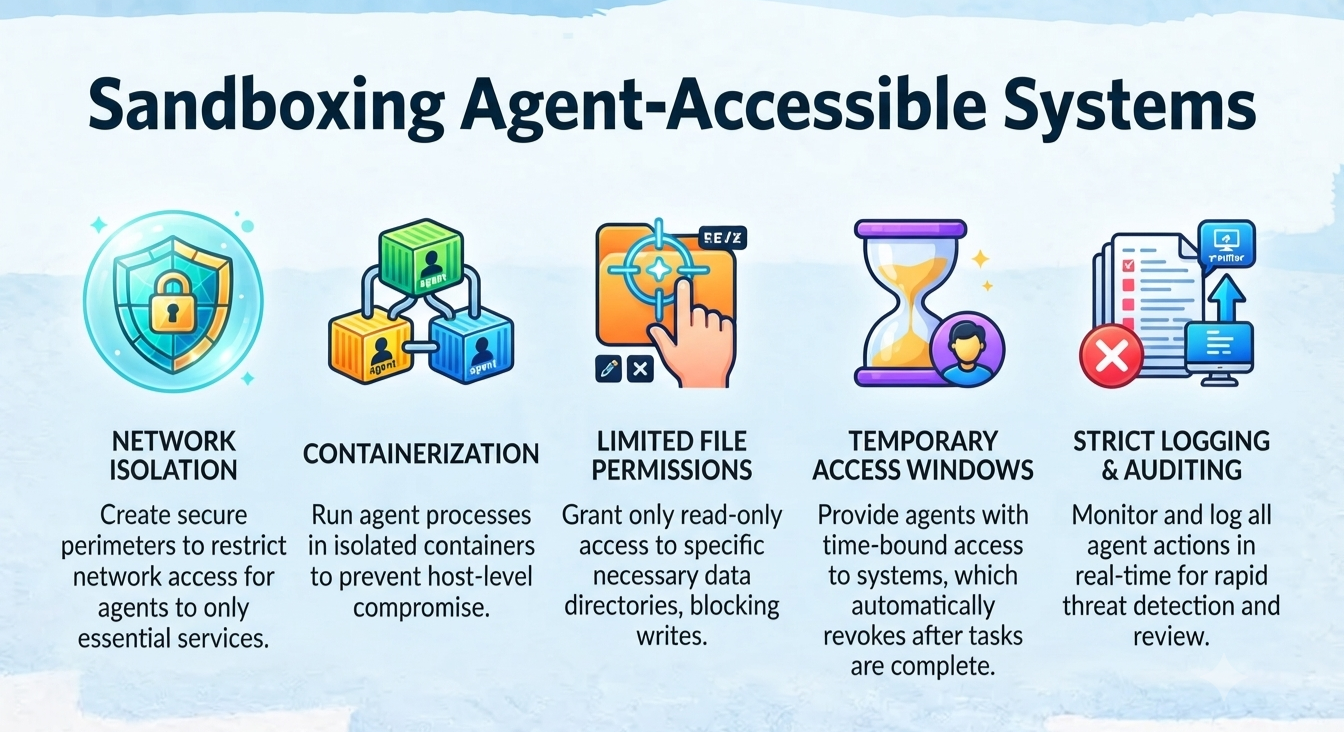
If an AI agent needs access to a system, consider giving it an isolated environment rather than unrestricted access to your broader infrastructure.
What Is Sandboxing?
Sandboxing means placing a process or system inside a controlled environment with limited access.
Think of it as giving someone a small workspace rather than the keys to the entire building.
The agent may be able to perform its assigned task, but its ability to reach unrelated systems is restricted.
How to Sandbox
Depending on your infrastructure, isolation can include:
- Containers
- Restricted file-system access
- Limited network connectivity
- Dedicated environments
- Restricted permissions
- Separate credentials
An agent that only needs to work with a specific directory should not automatically receive access to the entire server.
Likewise, an agent that needs to communicate with one API should not automatically be allowed to communicate with every internal service.
Human Approval for High-Risk Actions
Automation is powerful, but not every action should happen automatically.
For low-risk tasks, automation can save time.
For high-risk actions, human approval can act as the final safety gate.
Which Actions Need Approval?
Consider requiring approval before actions such as:
- Deleting important content
- Removing users
- Changing permissions
- Installing or modifying critical components
- Deploying changes to production
- Making sensitive configuration changes
- Performing actions that affect multiple systems
The exact approval requirements should depend on how much damage an action could cause.
How to Implement Approval Workflows
A simple approach is to divide actions into three categories:
| Risk Level | Example | Treatment |
|---|---|---|
| Low | Routine, reversible action | Automatic |
| Medium | Significant but reviewable action | Human approval |
| High | Irreversible or highly sensitive action | Strong approval or deny |
The important idea is that an AI agent should not automatically have the authority to perform every action it is technically capable of performing.
Keep an audit record of important approvals so you can determine:
- Who approved the action
- What action was approved
- When it was approved
- What was actually performed
Incident-Response Steps After Suspected Compromise
Even with strong security controls, website owners should be prepared for the possibility of a compromise.
The first priority is to avoid making the situation worse.
If you suspect unauthorized access, take a structured approach.
Immediate Actions After Suspected Compromise
A basic response can include:
- Identify the affected systems.
- Restrict or isolate affected access where appropriate.
- Preserve relevant logs and evidence.
- Revoke compromised credentials.
- Review administrator accounts and permissions.
- Investigate unexpected content and file changes.
- Determine the likely scope of the incident.
- Bring in cybersecurity expertise when necessary.
Avoid immediately deleting suspicious files or logs before understanding what happened.
Those records may help establish the timeline of the incident.
How to Revoke Compromised Credentials
If a credential is believed to be compromised, it should no longer be trusted.
Depending on the system, this may involve:
- Regenerating API keys
- Rotating secrets
- Changing administrator passwords
- Invalidating active sessions
- Revoking OAuth tokens
- Re-authorizing integrations
- Removing unauthorized accounts
- Updating applications that depended on the old credential
For example, if an API key has been exposed, simply hiding the key afterward does not make the original credential safe.
The old credential needs to be revoked or replaced.
How to Preserve Evidence
Evidence can help you understand what happened.
Preserve relevant:
- Server logs
- CMS audit logs
- WAF logs
- Authentication records
- API activity
- File modification records
- Database information
- Backup information
- Relevant timestamps
Document what you observed and what actions were taken.
For example:
| Time | Event | Action |
|---|---|---|
| 10:15 | Unusual administrator login | Investigated account |
| 10:22 | Unexpected content change | Preserved logs |
| 10:30 | Credential suspected compromised | Credential revoked |
| 10:45 | Additional activity reviewed | Access restricted |
A simple timeline can become extremely useful during an investigation.
When to Contact a Cybersecurity Professional
Consider contacting a cybersecurity professional when:
- You cannot determine what was compromised.
- You suspect persistent unauthorized access.
- Unknown administrator accounts have appeared.
- Customer or sensitive information may have been exposed.
- You find suspicious files or backdoors.
- You cannot confidently determine whether the attacker has been removed.
- The incident requires specialist investigation or evidence preservation.
The most important point is simple:
Do not guess about the scope of a serious compromise.
If you do not know what happened, professional incident-response assistance can help determine the situation safely.
Website Security Checklist for AI-Era Threats
Use this checklist as a quick review of your website’s security posture.
Authentication & Access Control
- ☐ MFA or passkeys enabled for administrator accounts
- ☐ Strong authentication used for sensitive accounts
- ☐ Least-privilege permissions implemented
- ☐ Unnecessary administrator accounts removed
- ☐ User permissions reviewed regularly
API & Secrets Security
- ☐ API access restricted to required functionality
- ☐ API credentials use minimum necessary permissions
- ☐ Secrets are not publicly exposed
- ☐ Production and testing credentials are separated
- ☐ Credential rotation process is available
- ☐ Compromised credentials can be revoked quickly
Traffic & Bot Control
- ☐ Automated traffic is monitored
- ☐ Suspicious bot activity can be investigated
- ☐ WAF controls are configured where appropriate
- ☐ Sensitive endpoints have rate limiting
- ☐ Unusual traffic patterns generate alerts or investigation
Monitoring & Detection
- ☐ CMS audit logs are enabled
- ☐ Administrator login activity is monitored
- ☐ Login anomalies can be detected
- ☐ Unexpected content changes are monitored
- ☐ Important file modifications can be detected
- ☐ High-risk administrative actions are logged
Environment Security
- ☐ Production and testing environments are separated
- ☐ Production credentials are not reused in testing
- ☐ Agent-accessible systems are sandboxed where appropriate
- ☐ File-system access is restricted
- ☐ Network access is restricted to what is required
Third-Party Integrations
- ☐ Connected applications are reviewed
- ☐ Unused integrations are removed
- ☐ Integration permissions are minimized
- ☐ Integration activity is monitored
- ☐ Third-party credentials can be revoked
Human Oversight
- ☐ High-risk actions require human approval
- ☐ Sensitive actions have defined approval rules
- ☐ Important approvals are logged
- ☐ Incident-response procedures are documented
- ☐ Evidence-preservation procedures are understood
- ☐ A cybersecurity professional can be contacted when necessary
Stay Ahead of AI-Agent Threats
AI agents are making websites more automated, but automation also changes the security equation.
The answer is not necessarily to block every AI agent.
Instead, website owners should focus on controlling access, limiting permissions, monitoring behavior, protecting credentials, and keeping humans involved when the consequences are serious.
Start with the basics:
- Secure your CMS administrator accounts.
- Use strong authentication and MFA or passkeys.
- Give users and APIs only the permissions they actually need.
- Protect API keys and other secrets.
- Monitor bot and agent traffic.
- Use rate limiting and appropriate WAF controls.
- Keep detailed audit logs.
- Watch for unexpected content and file changes.
- Separate production from testing.
- Sandbox systems that AI agents can access.
- Require human approval for high-risk actions.
And if you suspect that your website has already been compromised, focus on containing the situation, revoking compromised credentials, preserving evidence, and getting professional help when the situation is beyond your ability to investigate confidently.