
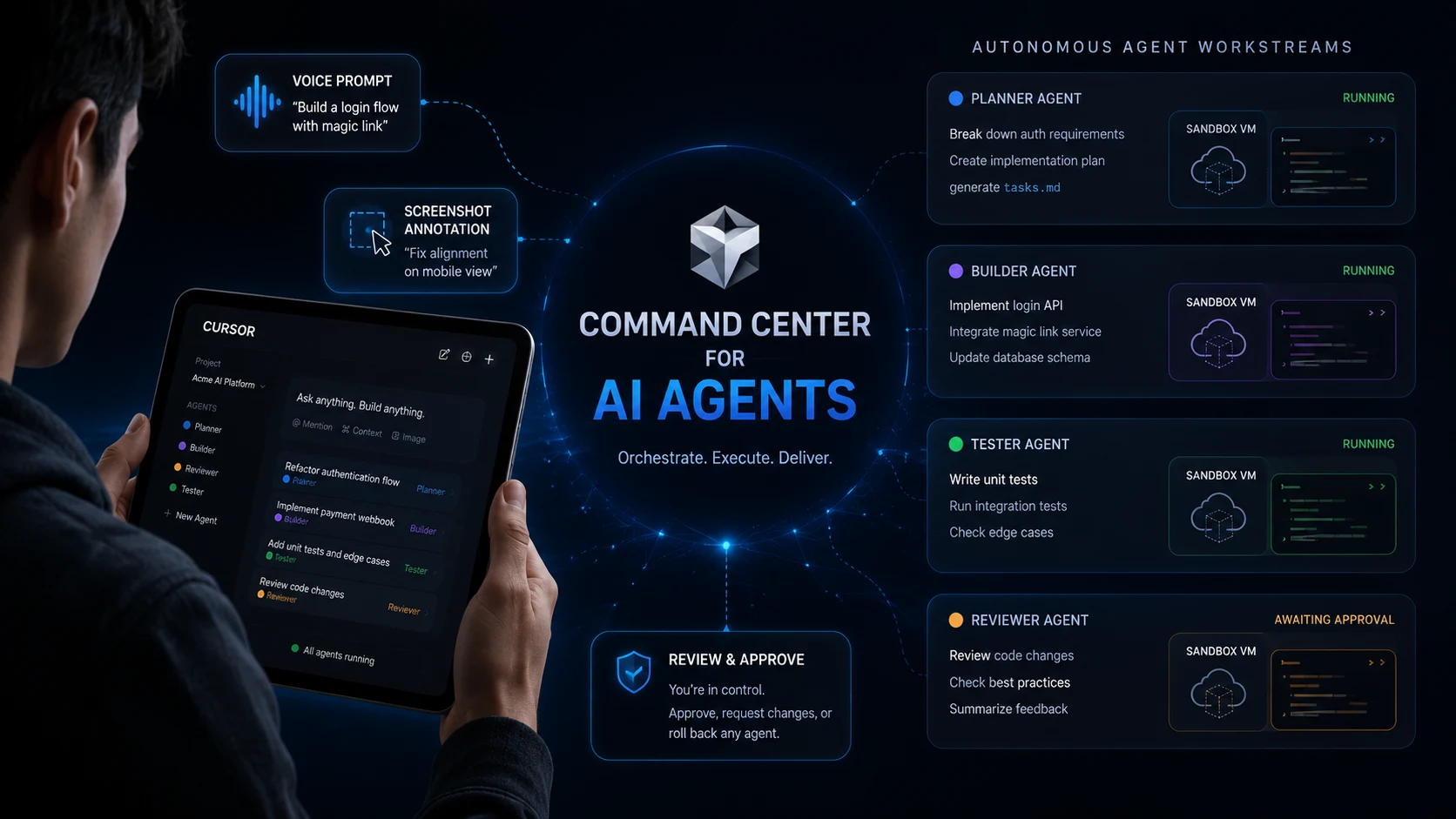
Cursor just shattered traditional software engineering by releasing its native iPad app. With 64% of Fortune 500 engineering teams adopting AI IDEs and mobile model execution costs dropping by 75%, how long can desktop-bound developers survive?
Over 100,000 active developers are already shifting to cloud-managed coding workflows, instantly revolutionizing remote software creation.
This is not just another tablet text editor. Cursor on iPad transforms engineers into system commanders who oversee autonomous cloud agents.

Cursor Reimagines the iPad
The tech industry long viewed touchscreens as secondary tools meant only for light code reviews or reading documentation. Cursor’s iPad app completely destroys that limitation by giving users direct control over autonomous cloud workers.
Instead of typing thousands of lines manually, developers now use multi-agent side chats to direct tasks.
- Pinned Sidebar Chats: Keep multiple active agents in view simultaneously.
- Full PR Review Surface: Read comments, trigger automated checks, and approve code directly.
- Voice-First Directives: Speak complex engineering requirements aloud without touching the keyboard.
Can a tablet truly replace your primary workstation when cloud agents handle the heavy lifting?
Why the Workflow Shift Matters
The primary bottleneck in modern software engineering is no longer typing speed—it is review speed. Cursor slashes turnaround times by turning code creation into an asynchronous management process.
| Traditional Mobile Coding | Cursor’s iPad Workflow |
|---|---|
| Manual typing on touch screen | Voice prompts & agent orchestration |
| Local device battery strain | Isolated cloud sandbox VMs |
| Text-only Git reviews | Visual demos, screenshots, and diffs |
| Slow bug investigations | Instant Apple Pencil annotation fixes |
Engineers operate at a higher level of abstraction, spending their energy approving architecture rather than hunting down syntax errors.
How Agents Run Behind the Scenes
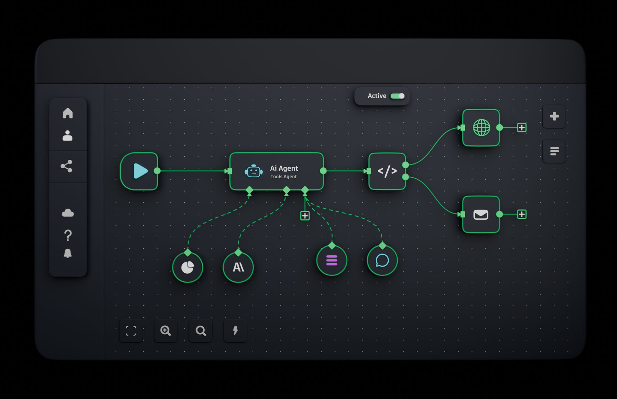
When you launch a task on iPad, cloud agents execute in isolated virtual machines equipped with complete development environments.
- Task Delegation: You prompt the agent via voice or text input.
- Autonomous Execution: The agent writes code, runs terminal commands, and tests changes in its sandbox.
- Artifact Generation: The agent delivers live video demos, screenshots, and logs for instant verification.
- One-Tap Merge: You inspect the diff and merge the pull request directly from your inbox.
Will traditional local development setups soon become obsolete?
Apple Pencil Becomes a Debugging Tool
One of the most impressive features is how Cursor leverages hardware-specific iPad capabilities.
Instead of writing verbose text descriptions for visual bugs, developers can draw directly on screenshots. You simply take a screen capture, circle an alignment bug with the Apple Pencil, add a quick note, and send it to the agent.
The AI agent parses your visual markup as context, making precise UI updates in seconds.
What This Means for Dev Teams
The definition of a “software developer” is rapidly shifting toward systems director. Senior engineering leads can now manage entire feature pipelines while away from their desks.
“The real change is not that developers can code on an iPad. It is that they can now manage a cloud of agents from a lightweight control surface.” — Developer Tools Analyst
Cursor is now on iPad. All the power of Cursor on iPhone, with more room to work with agents. pic.twitter.com/BKzS0eTUjr
— Cursor (@cursor_ai) July 29, 2026
Crucial Takeaways
- Engineering becomes oversight: Writing raw code gives way to approving PRs and guiding agent logic.
- Debugging loops shrink: Visual annotations eliminate back-and-forth communication delays.
- Desktop dependency fades: Critical production hotfixes can happen seamlessly from anywhere.
Verified Sources & Resources
- Read the official announcement on the Cursor Mobile App Changelog.
- Learn about cloud agent capabilities at the Cursor Mobile Blog Launch Post.
- Download the app directly from the Apple App Store.
Watch a 30-second product demonstration of Cursor Mobile to see cloud agents, split-screen reviews, and Apple Pencil annotations in action.