
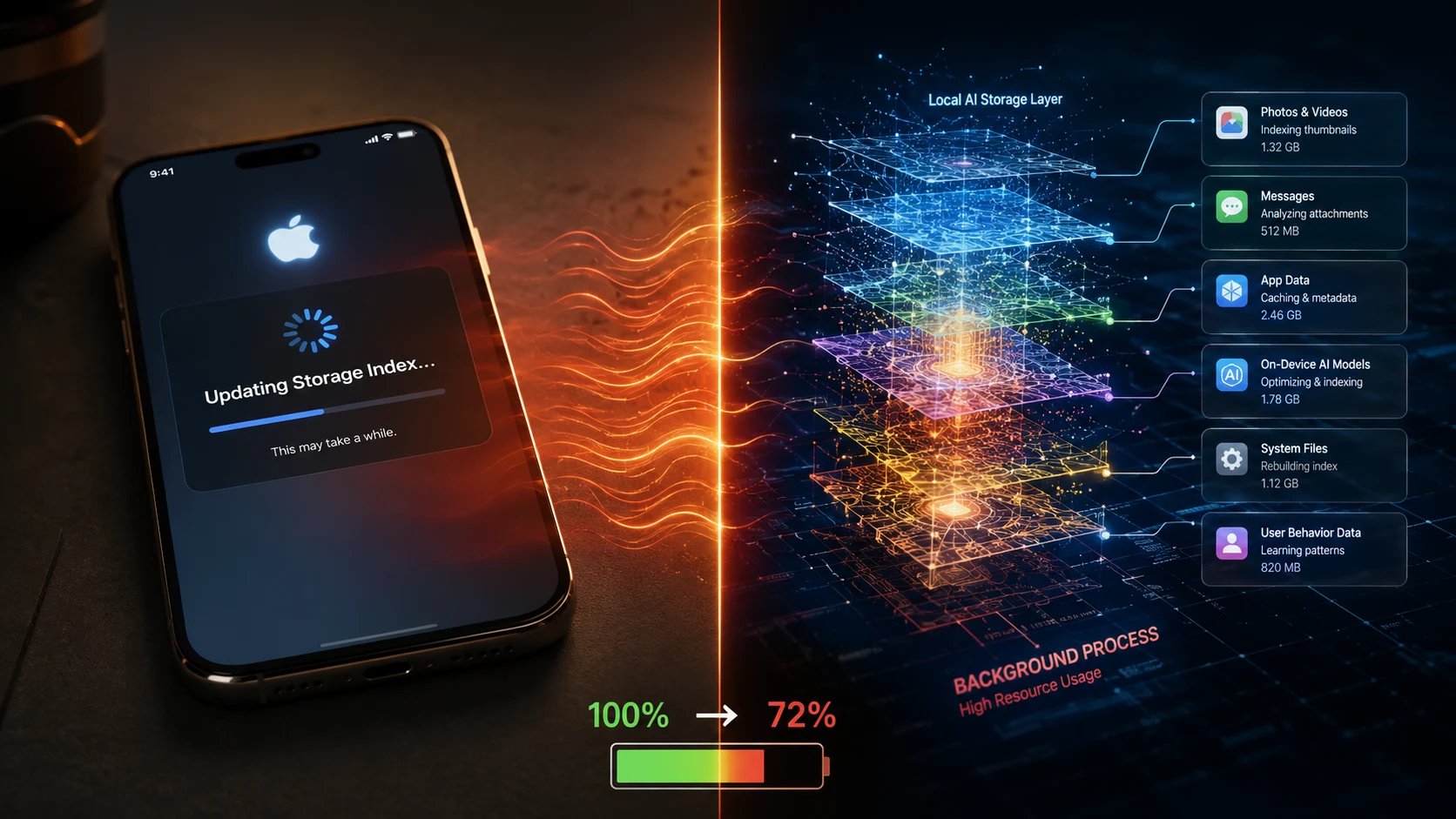
iOS 26.6 is quietly terrifying iPhone owners with sudden thermal spikes and erratic battery drops. Millions of updated devices are sucking through 30% more battery life while idling on desks across the globe. Why is Apple rebuilding the entire internal file database behind your back right now?
Is your device broken, or is Apple intentionally accepting 24 hours of customer outrage to prepare old hardware for the massive AI workloads coming next? The answer lies deep inside your iPhone’s local storage index.
What iOS 26.6 Is Quietly Doing
When you finish installing iOS 26.6, your iPhone tells you the update is complete. That isn’t entirely true.
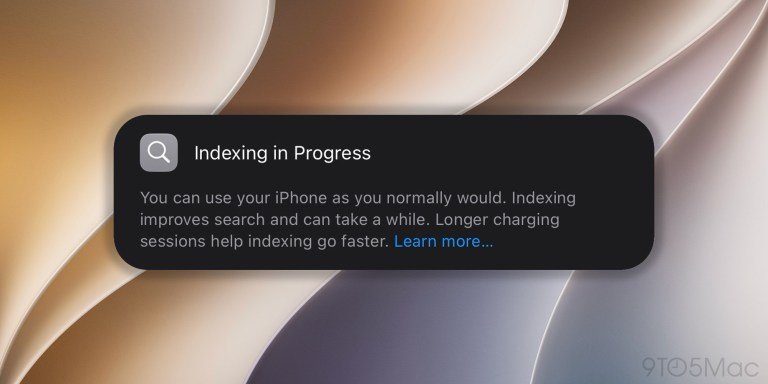
Behind the lock screen, the system triggers a massive, invisible operation called Spotlight re-indexing.
- Database Restructuring: Re-organizing photos, messages, and local files into dense vector embeddings for fast lookup.
- Neural Engine Recalibration: Re-analyzing on-device machine learning models to align with new system binaries.
- Storage Optimization: Defragmenting internal database caches to free up space for upcoming system assets.
Why the Battery Drain Happens
This background reorganization requires continuous, heavy background activity from the iPhone’s Neural Engine and CPU. That continuous computing load generates noticeable heat and accelerates power consumption.
| Symptom | Likely Cause | How Long It May Last |
|---|---|---|
| Warm Chassis | Intensive background Spotlight/AI re-indexing | 12 to 24 hours |
| Rapid Battery Drain | Neural Engine running at high power state | 24 to 48 hours |
| Temporary UI Lag | Disk I/O prioritization for database rebuilds | A few hours post-update |
Why would Apple accept temporary battery complaints now? The real story isn’t iOS 26.6 itself—it is what Apple is trying to prevent later.
The Hidden AI-Readiness Angle
Industry reports confirm that iOS 26.6 contains specific background optimizations targeting the Spotlight index in preparation for next-generation personal context engines.
“Background indexing after updates is standard, but restructuring local databases for next-gen contextual queries requires a deeper, single-time performance hit.”
- Preparing for Personal Context: Re-indexing ensures Siri and local AI models can instantly scan years of messages and photos without lag.
- Preventing Future Bottlenecks: Restructuring data now prevents users from experiencing massive system crashes during future major feature rollouts.
- Reducing Cloud Reliance: Efficient local indexes allow complex AI queries to execute directly on the phone’s chip without uploading private data.
What Users Should Expect Over 24 Hours
For 87% of users, post-update thermal issues and elevated battery drain disappear within 32 to 48 hours without any manual intervention.
According to official documentation on Apple Support and real-world indexing data logged on Apple Support Discussions, background tasks complete automatically once the phone is idle and connected to power.
- First 12 Hours: Maximum background CPU load as primary databases rebuild.
- 12 to 24 Hours: Secondary asset indexing (Photos search and machine learning models).
- After 48 Hours: System power draw normalizes back to baseline levels.
Is iOS 26.6 fixing storage, or quietly building the foundation for on-device personal AI?
Sudah update ke iOS 26.6 belum?
— iwe (@blogcious) July 27, 2026
Kita lihat, setelah update apakah performa, baterai, dan suhu iPhone terasa lebih baik?
Kalian pengguna iOS / iPadOS sudah update? #iOS26 #iOS pic.twitter.com/S1AiuEAuu6
How to Tell If Your iPhone Is Still Re-indexing
Before panicking or running to an Apple Store, follow these practical steps to verify your device status:
- Check Battery Insights: Navigate to
Settings > Batteryto see if an “Ongoing iOS Update” insight flag is visible. - Keep It Plugged In Overnight: Leave your phone on Wi-Fi and connected to a charger overnight so background tasks finish faster.
- Avoid Forced Reboots: Constantly forcing a restart interrupts database writing, forcing the re-indexing loop to start over from scratch.
Detailed troubleshooting guides on ElectronicsHub confirm that letting the device sit plugged in overnight resolves the vast majority of indexing bottlenecks.
Apple is trading short-term user friction today to ensure seamless, lightning-fast AI features tomorrow. The update may look small on the surface, but the underlying file-system transformation could change how your iPhone operates for years to come.